ERAS PHOTO REQUIREMENTS · PASSPORT-SIZE QUESTION
Is an ERAS Headshot the Same as a Passport Photo?
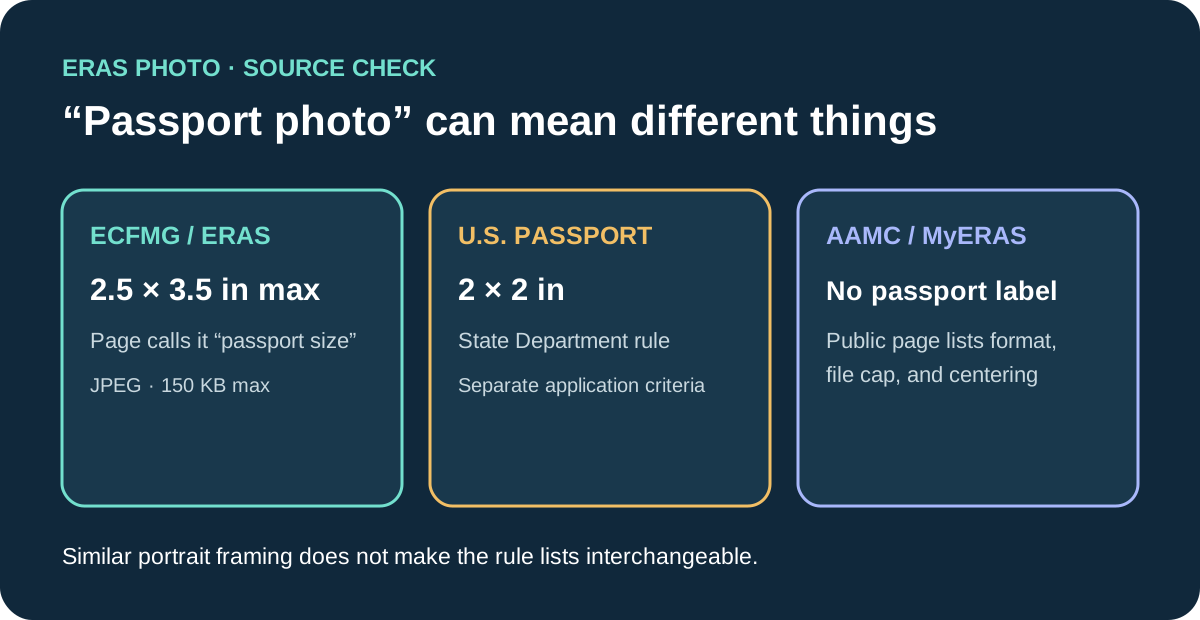
Not automatically. “Passport photo” can refer to a size, a pose, or a government passport rule. ECFMG’s current ERAS instructions call its maximum 2.5 × 3.5-inch photo “passport size,” while the U.S. Department of State specifies a 2 × 2-inch U.S. passport photo. AAMC’s public direct-MyERAS photo page lists other criteria and does not call the image a passport photo. Check the official instructions for your application route instead of treating the labels as interchangeable.
What the current source pages call for
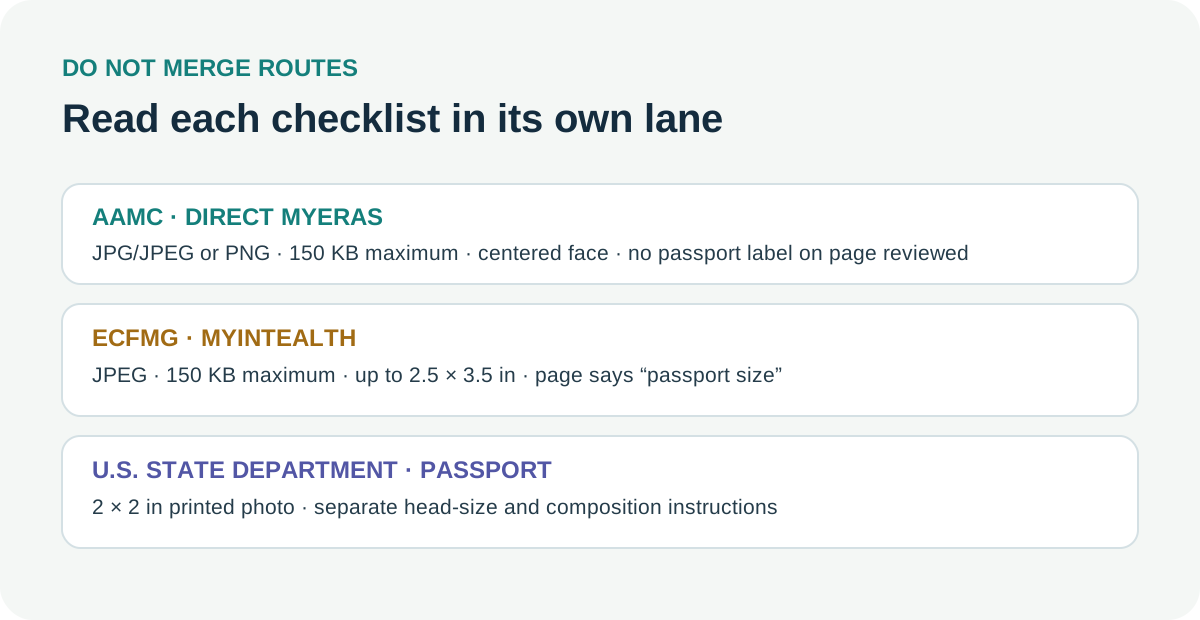
For applicants using ECFMG’s MyIntealth route, the public ERAS photograph instructions specify JPEG, a maximum file size of 150 KB, and dimensions no larger than 2.5 × 3.5 inches. The same page labels that maximum “passport size.” It separately describes a clear, full-front head-and-shoulders view, a centered face, a natural expression, and eyes open and looking ahead.
The AAMC’s public MyERAS photo page lists JPG/JPEG or PNG, a maximum of 150 KB, and a centered face. It says programs most often use the photo to help identify applicants at interviews and advises applicants to research program-specific requirements and use. The public page reviewed does not label the image “passport size” or state a photo dimension there. Its current instructions distinguish direct MyERAS uploads from the ECFMG route for international medical graduates.
The U.S. Department of State’s passport-photo page is a different process: it specifies a 2 × 2-inch printed photo and gives head-size measurements and other composition requirements. Those passport rules do not become ERAS rules just because a photo looks like an ID portrait. Conversely, ECFMG’s use of the phrase “passport size” does not mean that every U.S. passport requirement applies to an ERAS image.
| Source / route | What its public page says | How it uses “passport” |
|---|---|---|
| AAMC, direct MyERAS | JPG/JPEG or PNG; up to 150 KB; centered face; check program requirements and use. | The reviewed public photo page does not use “passport photo” as its label. |
| ECFMG, MyIntealth ERAS support | JPEG; up to 150 KB; no larger than 2.5 × 3.5 inches; front-facing head and shoulders and other composition criteria. | Calls the 2.5 × 3.5-inch maximum “passport size.” |
| U.S. Department of State passport application | Printed photo is 2 × 2 inches, with separately defined head-size and composition details. | This is a passport application specification, not an ERAS application route. |
Ask what “the same” means before exporting
A useful comparison separates four things that often get collapsed into “passport photo”: the application route, the measured dimensions, the composition, and the upload process. The official pages reviewed do not make these interchangeable. A file can match one dimension while missing another route’s file-type or composition wording; a portrait can look formal without being a passport application photo.
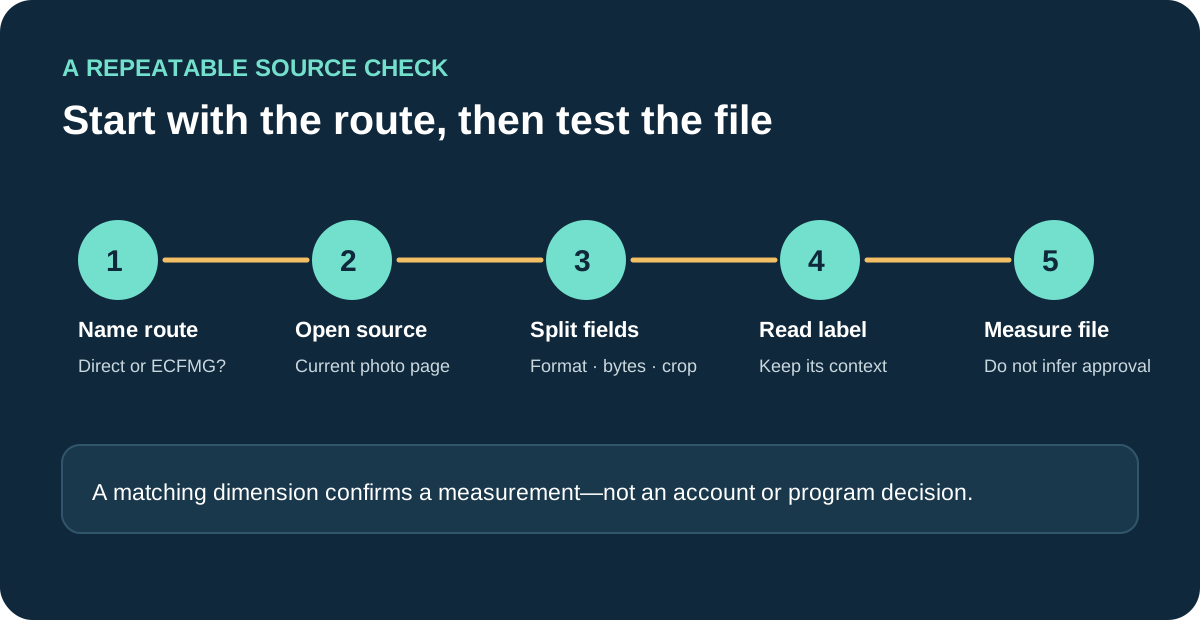
Use this source-first check before choosing an export:
- Name the route. Record whether the photo is being submitted through direct MyERAS or through ECFMG’s MyIntealth support path. Do not infer the route from the word “ERAS” alone.
- Open that route’s current photo instructions. Keep the page title, link, and date checked together. A forum answer or photographer’s description can help identify the question, but it cannot replace the current official list.
- Copy each criterion into its own field. Keep format, maximum bytes, dimensions, framing, expression, and submission path separate. Use “not stated on this page” where a field is absent; do not fill it with another route’s rule.
- Interpret the label in context. If a page uses “passport size,” note exactly which number it attaches to. Do not import the U.S. State Department’s 2 × 2-inch requirement unless the task is actually a U.S. passport application.
- Check the saved file against the route. Measure its actual pixels, file bytes, and visible crop. Those checks establish file properties only; they do not prove an account accepted the image or that a particular program has no extra instruction.
This creates a small evidence record rather than a guess: route → source → exact dimension phrase → file type and byte cap → composition → upload channel. If any item changes between the photographer’s handoff and the upload, note the changed item instead of describing the entire image as simply “passport compliant.”
For example, an ECFMG-route file that is 2.5 × 3.5 inches matches the maximum size phrase on ECFMG’s page, but that fact alone does not establish the required JPEG format, 150 KB limit, head-and-shoulders framing, or successful processing. A 2 × 2-inch U.S. passport photo matches the State Department’s printed dimensions, but that fact alone does not establish that it meets the ECFMG route’s stated dimensions or every AAMC MyERAS criterion. These are comparisons of published checks, not tests of portal acceptance.
The distinction is especially useful when a preview looks cropped. First confirm which official route governs the upload; then compare the source file and preview to that route’s wording. Do not change the size solely to imitate a government passport template unless the applicable route’s current instructions call for it. If the portal or program gives a separate current instruction, preserve that instruction as its own source.
Why applicants use the “passport-size” shorthand
Public applicant discussions use “passport-size” while comparing dimensions and describing a cropped preview. That is a question signal, not an official requirement or proof of what caused a particular crop. The sources below are the basis for the route comparison; forum posts do not establish acceptance, rejection, or portal behavior.
Common questions
Does ECFMG call an ERAS photo passport size?
Yes. Its current public photograph instructions call the no-larger-than-2.5 × 3.5-inch maximum “passport size.” The same page lists JPEG, a 150 KB maximum, and separate composition criteria.
Is that the same as a U.S. passport photo?
No shared specification is established by that phrase. The U.S. Department of State specifies a 2 × 2-inch printed photo for a U.S. passport application. ECFMG’s ERAS page gives a different maximum dimension.
Does the AAMC direct-MyERAS page say passport size?
The public AAMC photo page reviewed lists accepted file types, the size cap, and face centering, but does not use that label or list dimensions in the public photo criteria reviewed.
Does matching the dimension prove the photo will be accepted?
No. It confirms only a measurable dimension. Format, file size, framing, route, account processing, and any separate program instruction remain distinct checks.
Should I use the U.S. passport template for every ERAS image?
The reviewed ERAS sources do not direct every applicant to use the U.S. passport template. Follow the current source for the route handling the photo.
Sources and scope
- AAMC, “Photo,” MyERAS applicant guidance — direct-MyERAS public file, size, centering, purpose, and program-specific wording.
- ECFMG, “ERAS: Supporting Documents” — MyIntealth photograph composition, JPEG/150 KB specifications, and “passport size” wording.
- U.S. Department of State, “Passport Photos” — U.S. passport application photo size and composition requirements.
- r/IMGreddit applicant question about a “passport-size” ERAS photo and preview crop — question signal only, not an official rule or evidence about the portal.
- Headshots & Corporate, ERAS medical residency headshots — competitor page reviewed for its passport-photo analogy and dimensions framing; no text copied.
- Chad Isaiah Studios, ERAS headshots — competitor page reviewed for its delivery of portrait/square crops and dimensions framing; no text copied.
Pages checked October 25, 2026. The comparison describes these public pages only; it does not predict an account-specific upload result or replace current instructions for an individual program.