ERAS HEADSHOT / 2027 DIMENSION RULES
Does an ERAS headshot still need to be 2.5 × 3.5 inches?
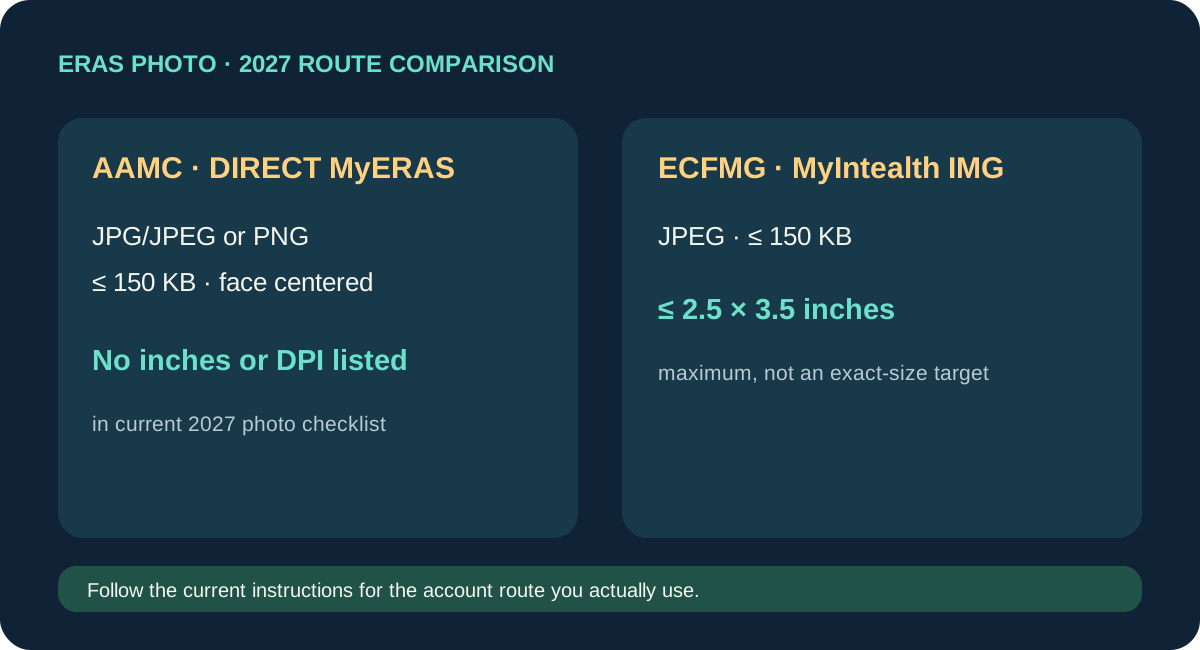
It depends on the upload route. The current AAMC 2027 MyERAS guide and AAMC Photo page list JPG/JPEG or PNG, a 150 KB maximum, and a centered face; neither lists inch dimensions or DPI. ECFMG explicitly says an IMG photo uploaded through MyIntealth must be no larger than 2.5 × 3.5 inches. Do not turn that ECFMG maximum into a universal MyERAS rule.
What the current public instructions say
For residency applicants using direct MyERAS, the AAMC Photo chapter describes the USMG upload flow and lists file type, maximum file size, and face centering. The current 2027 MyERAS Applicant User Guide repeats those photo requirements in its Photo section. Neither source’s photo list names a physical inch size, pixel width or height, or DPI value. That is a precise description of the published lists reviewed, not proof that an account-specific upload screen or a program has no additional instruction.
For IMG residency applicants using ECFMG’s MyIntealth route, ECFMG gives a separate list: JPEG, maximum 150 KB, and no larger than 2.5 by 3.5 inches. ECFMG also describes submitting the picture through MyIntealth and assigning it in MyERAS for program visibility. The dimensions are framed as an upper limit, not a demand that every file be exactly 2.5 by 3.5 inches.
| Route | Public photo source reviewed | What it lists about dimensions |
|---|---|---|
| Direct MyERAS (USMG instructions) | AAMC Photo chapter and 2027 MyERAS Applicant User Guide | Format, 150 KB maximum, centered face; no inch or DPI value in the photo requirements listed. |
| MyIntealth (IMG residency photo submission) | ECFMG ERAS Supporting Documents | JPEG, 150 KB maximum, and no larger than 2.5 × 3.5 inches. |
Why people see conflicting size advice
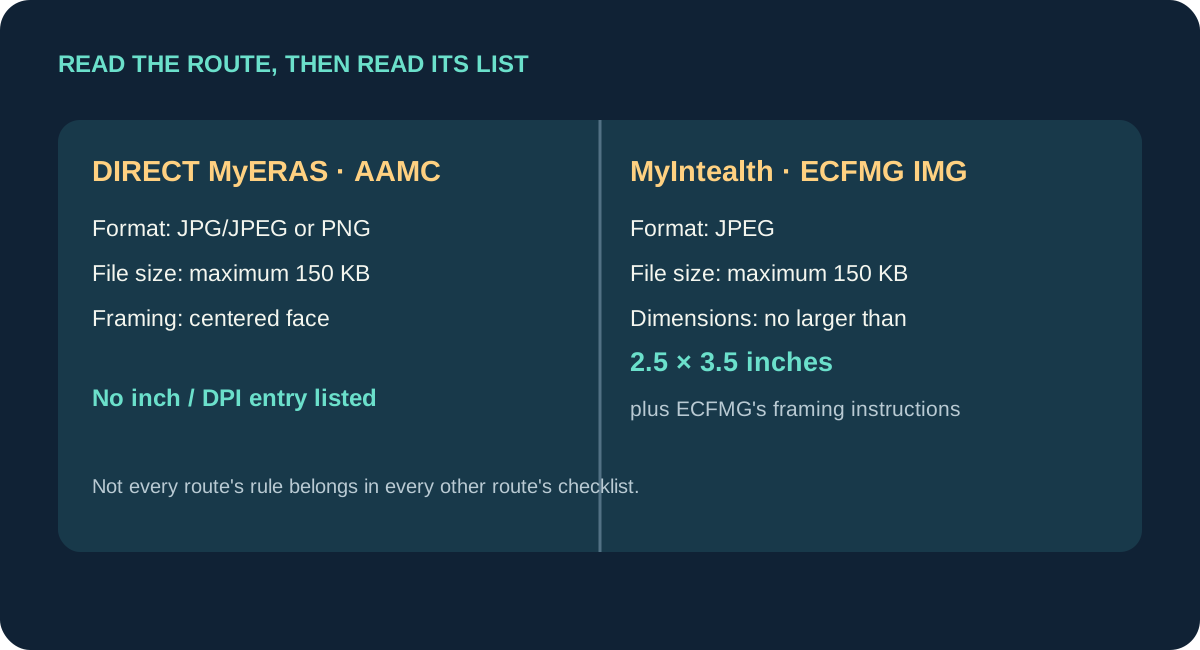
A search for an ERAS photo can surface instructions written for different application routes, fellowship applicants, or earlier guide editions. A 2026 applicant publicly asked whether 2.5 × 3.5 inches still applied because the upload page and 2027 guide they were reading did not show it. That question is a useful signal of a source mismatch; forum replies do not decide the requirement.
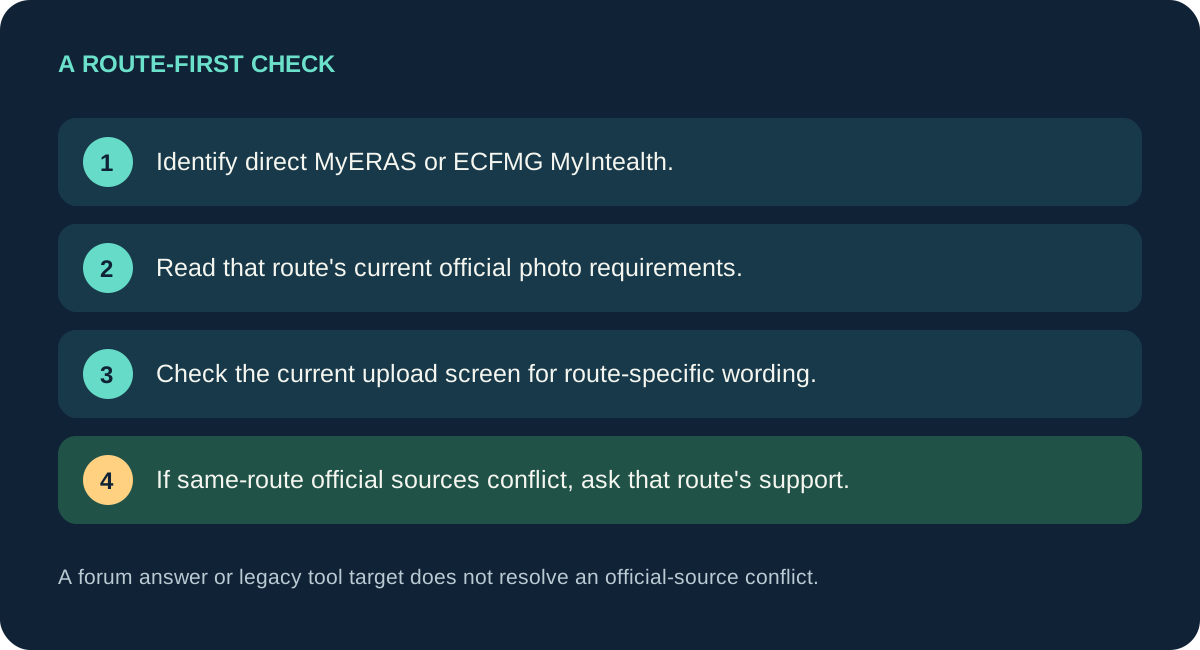
Use a source hierarchy that matches the account in front of you: first identify whether the photo is submitted in direct MyERAS or through ECFMG MyIntealth; then read that route’s current official photo requirements; finally follow any more specific text displayed on the current upload screen. If two official sources for the same route appear inconsistent, preserve both page titles and dates and ask the route’s support team which instruction governs the current cycle. Do not settle the conflict by copying an old spec from a search result or another applicant’s comment.
The word “maximum” matters. ECFMG’s phrase “no larger than 2.5 by 3.5 inches” sets an upper boundary in its stated route. It does not, by itself, say that a photo must be exactly that size, that it must be printed, or that the image needs a particular DPI. AAMC’s direct MyERAS guide lists no such physical-size boundary in its current Photo checklist. The safe editorial conclusion is route-specific: the IMG MyIntealth list explicitly includes the ceiling; the reviewed direct MyERAS 2027 photo list does not.
This reading cannot establish hidden portal validation, the appearance of a program’s preview, or the requirements of a particular program. The AAMC photo page asks applicants to research programs individually. Keep the question narrow: which current route instruction applies to this upload, and what does that instruction actually state?
How to calculate the physical size of a digital file
Digital images are stored as pixel grids. A physical print-size estimate needs both the pixel count and a density value: inches = pixels ÷ pixels per inch. For example, a 750 × 1,050-pixel image at 300 pixels per inch calculates to 2.5 × 3.5 inches. The same pixel grid at 150 pixels per inch calculates to 5 × 7 inches. The calculation changes the stated print size, not the stored pixel count.
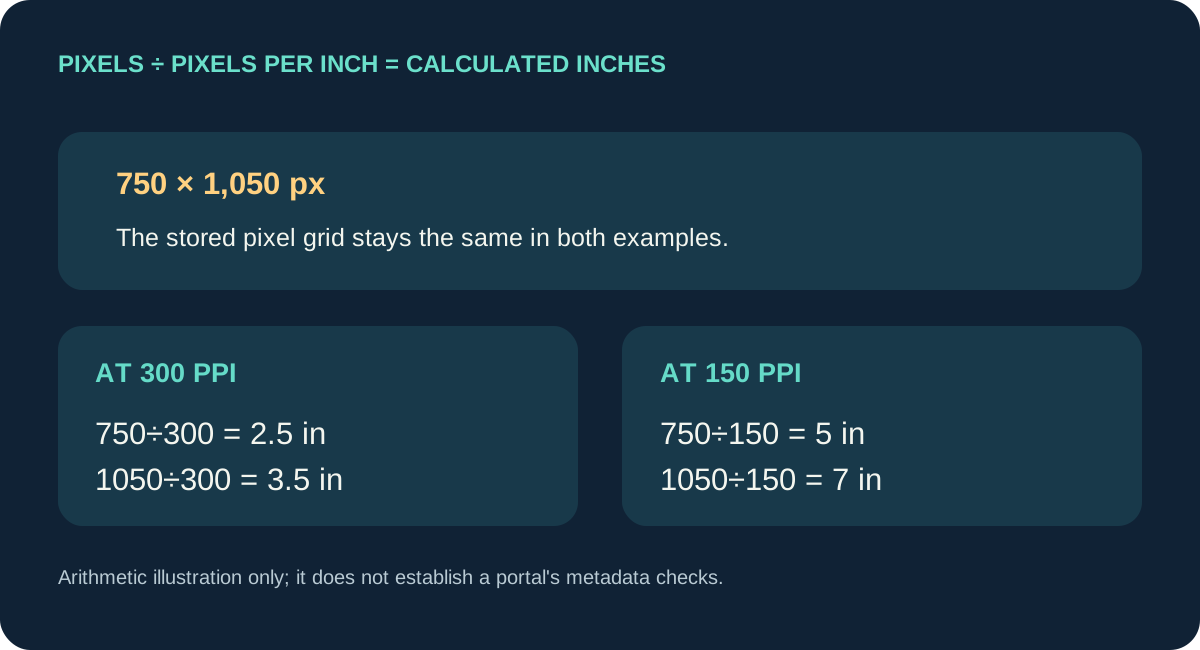
The example is arithmetic, not a tested MyERAS or MyIntealth upload. It does not show that either portal checks or reads a particular metadata field. For your actual route, check the exact file’s pixel dimensions and any embedded density metadata separately, then compare those observations only with requirements stated for that route. If the published route list does not specify DPI or pixel dimensions, do not label those as required simply because a file checker can measure them.
- Identify the account route. Direct MyERAS and MyIntealth are not interchangeable upload paths.
- Open the current official photo page. Record the title and the requirements it actually lists; avoid relying on an old season’s PDF.
- Read “maximum” literally. A maximum is a ceiling, not an exact target size.
- Measure the file separately. Record pixel width and height; if estimating inches, use the file’s density value and show the division.
- Resolve a same-route conflict at the source. Keep the conflicting official wording and ask the relevant support channel rather than guessing which hidden check the portal runs.
This route-first workflow is an original synthesis of the current AAMC and ECFMG lists plus a transparent pixel-to-inch calculation. It does not determine whether a particular file will be accepted.
Common questions
Should I make every ERAS photo exactly 2.5 × 3.5 inches?
No universal exact-size rule follows from the sources reviewed. ECFMG states a maximum for its MyIntealth IMG route; the current AAMC direct MyERAS photo list does not state that physical size.
Does 2.5 × 3.5 inches mean 375 × 525 pixels?
Only when the chosen density is 150 pixels per inch: 2.5 × 150 = 375 and 3.5 × 150 = 525. That arithmetic does not establish a current AAMC requirement for 150 DPI. See the DPI and pixel-size test for the difference between metadata and image detail.
Can a file checker decide whether the portal will accept my image?
No. A checker can report file properties, but it cannot establish undocumented account-side rules or guarantee an upload result. Confirm the current route’s own instructions.
Watch the route-by-route explanation
This companion video walks through the current AAMC and ECFMG wording, the meaning of a maximum, and the pixel-to-inch calculation shown above. It summarizes the same public sources and does not test portal acceptance.
Sources and scope
- AAMC, Photo — current public direct-MyERAS route summary: JPG/JPEG or PNG, maximum 150 KB, centered face; advises checking programs individually.
- AAMC, 2027 MyERAS Applicant User Guide, Photo section, printed page 50 / PDF page 49 — repeats format, 150 KB maximum, and centered face without listing inch dimensions or DPI in that section.
- ECFMG, ERAS Supporting Documents — Photograph — MyIntealth IMG route: JPEG, maximum 150 KB, no larger than 2.5 × 3.5 inches.
- Reddit, “ERAS photo” (September 23, 2026) — a current applicant question about differing dimension wording. Used only as evidence that the question exists, not as an official rule.
Sources checked October 18, 2026. No applicant account or upload portal was accessed. The article describes public source wording and simple pixel-to-inch arithmetic; it does not predict an individual upload outcome. Residency Headshot is independent and not affiliated with AAMC, ECFMG, Intealth, or ERAS Support Services.