JPEG METADATA / REPRODUCIBLE FILE TEST
What does missing DPI metadata mean for an ERAS headshot?
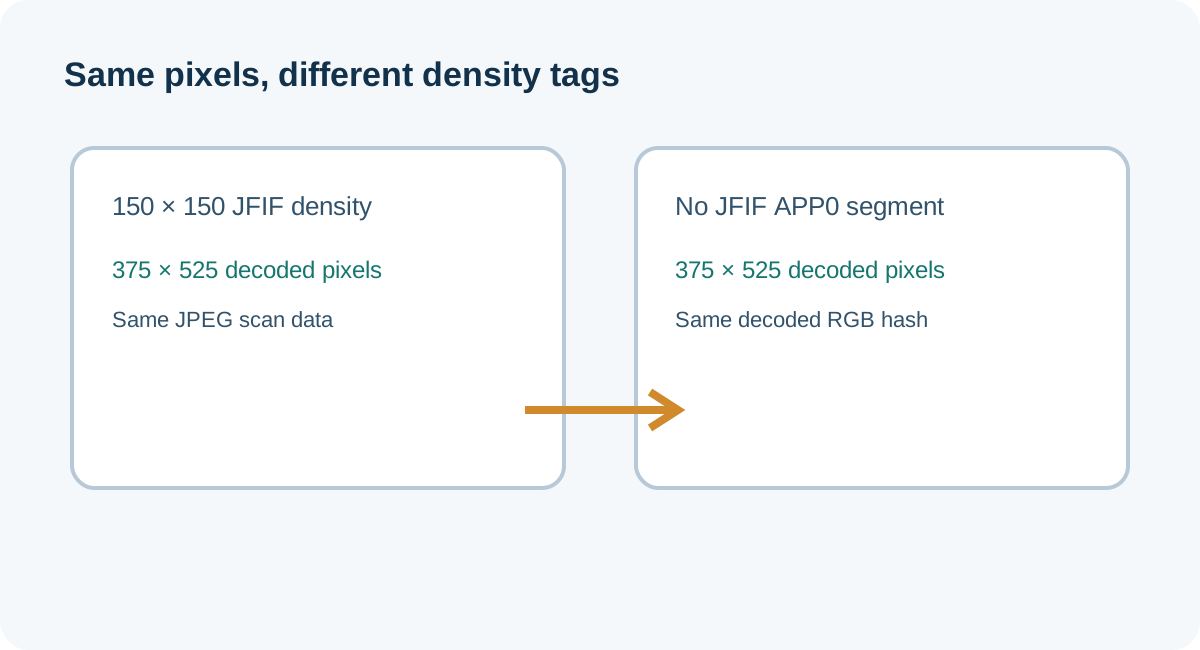
A blank DPI field means the JPEG’s density metadata is absent or unreadable; it does not, by itself, show that the image pixels were removed, resized, or blurred. In a controlled metadata-only test, the 375 × 525 decoded pixels stayed identical when the JFIF density segment was removed. That test cannot establish what MyERAS or MyIntealth accepts, so check the official requirements for your route and act on any actual upload message.
Separate three different pieces of a JPEG
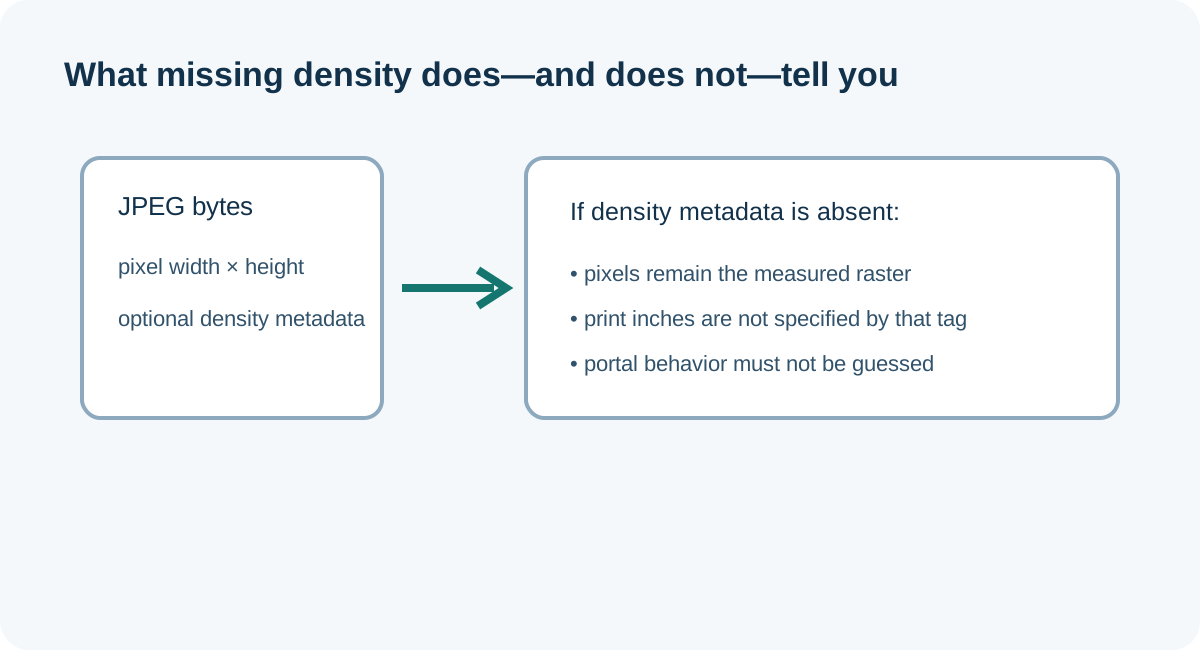
A JPEG file has encoded image data, pixel dimensions, and optional metadata. Pixel dimensions describe the raster grid: this test file is 375 pixels wide by 525 pixels high. A density value such as 150 pixels per inch can be stored in a JFIF header. It is not a count of extra pixels hiding inside the image.
When software calculates a print size from a density tag, it divides pixels by pixels per inch. If the tag is missing, that particular file does not specify that print-size interpretation. An image viewer may display a default, another program may show a blank field, and a portal may apply its own processing. None of those outcomes can be inferred just from “DPI: —” in one properties panel.
Metadata and raster quality are also separate. A metadata-only edit can preserve every decoded pixel, as in our test. Resampling or recompressing the JPEG can change pixel values and file size. A blank density field is therefore not evidence that either of those operations occurred.
Check the requirements for the route you actually use
The current AAMC Photo page for the direct MyERAS route lists JPG/JPEG or PNG, a 150 KB maximum, and a centered face. A separate AAMC residency-documents page lists a 2.5 × 3.5 inch dimension and 150 dpi. The current ECFMG page for the IMG route says to submit a JPEG through MyIntealth, with a 150 KB maximum and a maximum 2.5 × 3.5 inch size; it does not list a DPI metadata rule on that page.
These are statements from different current official pages. A number mentioned in a separate instruction is not proof that a particular upload field reads the JFIF density tag, and absence from one page does not prove a portal ignores metadata. We did not upload any test file to either application system. If the route’s official instructions are unclear or the portal returns an error, use its support channel rather than treating an image viewer’s blank field as a rejection.
A metadata-only test with one synthetic file
We created a simple color target with no face and saved a 375 × 525 JPEG once at quality 90 with JFIF density set to 150 × 150 pixels per inch. From that file, we made two copies by changing only the JFIF density values: one to 72 × 72, and one by removing the JFIF APP0 segment that holds the density field. We did not re-encode the JPEG scan data after the first save.
| Variant | JFIF density | Decoded size | Bytes | RGB pixel hash |
|---|---|---|---|---|
| Baseline | 150 × 150 | 375 × 525 | 27375 | same across all four |
| Metadata edit | 72 × 72 | 375 × 525 | 27375 | same across all four |
| Metadata removed | Absent | 375 × 525 | 27357 | same across all four |
The four decoded RGB pixel arrays had the same SHA-256 hash. The changed file sizes reflect header bytes, not a changed pixel grid. This is a narrow test of this JPEG and these byte edits. It is not a headshot-quality test, a browser comparison, a portal upload, or evidence that any applicant file will be accepted.
Download the synthetic JPEG variants, exact hashes, and reproduction notes · Read the measurements.
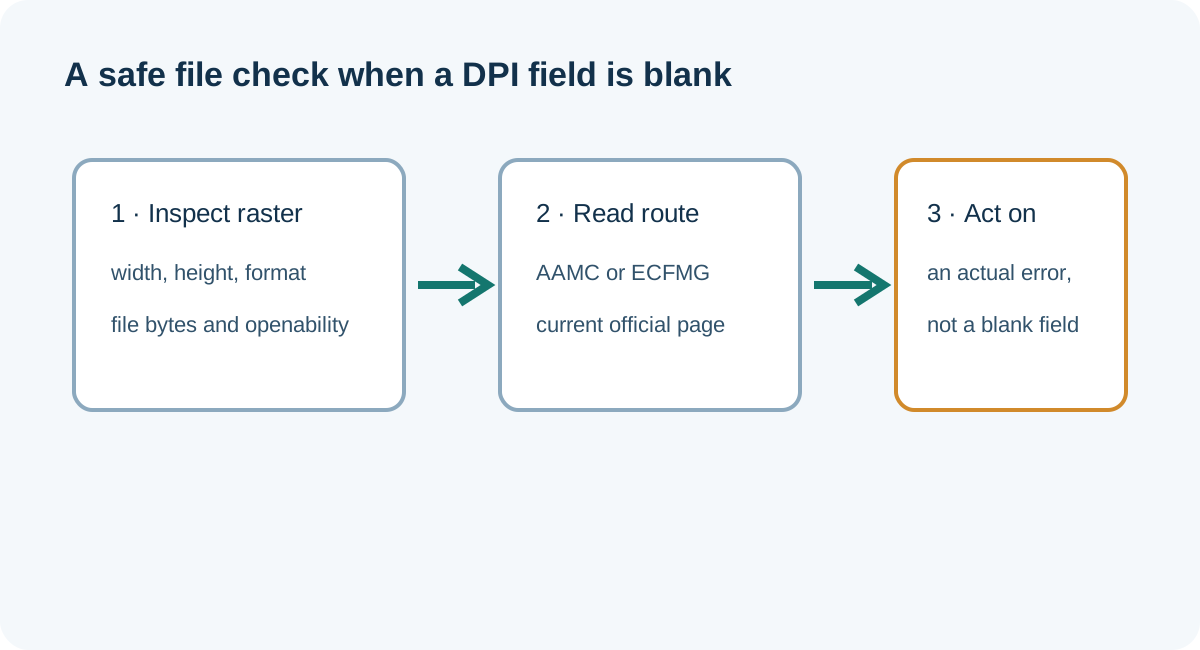
A practical check when a DPI field is blank
- Confirm the actual file. Reopen the exact JPEG you plan to submit; record that it opens and note its pixel width, height, file type, and byte size.
- Read the current route instructions. MyERAS and the IMG MyIntealth route are not interchangeable. Use the official page that applies to your application path.
- Do not convert a blank field into a guessed failure. A missing density tag alone does not tell you whether the portal will accept the file.
- Keep the exact upload copy. If you change or export it, inspect that new copy rather than relying on older properties.
- Follow a real portal error. Save the wording and use the official support route if the instruction is ambiguous; do not claim that our test predicts the portal.
This sequence checks file facts that can be observed locally and keeps them separate from application-system behavior that this site did not test.
What the public question tells us—and what it cannot
A recent applicant discussion asked whether changing DPI while reducing an ERAS photo’s dimensions also made the image look worse. That is a useful question because several export operations can happen together. The discussion does not establish which operation caused that person’s result, and comments are not current platform specifications.
Our controlled test isolates one variable: the JFIF density metadata. It shows that this metadata-only change preserved decoded pixels in one synthetic JPEG. It does not separate the effects of resizing, image compression, editing software, display scaling, or portal processing in a real applicant photo. Those require different tests.
Common questions
Does missing DPI metadata mean my JPEG has no resolution?
No. Its pixel dimensions remain measurable. A missing density tag means that the file does not provide that particular pixels-per-inch value.
Will MyERAS reject a JPEG with no DPI tag?
This test cannot answer that. The current AAMC Photo page and the separate AAMC document page list their requirements; neither fact alone tells us how the portal treats a missing JFIF field. Follow the applicable current instructions and any actual portal message.
Can I add a DPI tag without changing the pixels?
A metadata-only edit can preserve decoded pixels, as this synthetic test demonstrates. But do not assume every editor changes metadata only; some export workflows may also resample or recompress.
Is the file-size change a quality change?
Not here. The variants differ in metadata bytes while the decoded RGB pixel hash remains the same. That result is limited to these generated files and this editing method.
Sources and reproducible files
- AAMC, Photo — current direct MyERAS route page.
- AAMC, Documents for ERAS Residency Applicants — separate page listing dimensions and resolution.
- ECFMG, ERAS Supporting Documents — current IMG/MyIntealth photograph route page.
- Public applicant question about DPI and image quality — used as a question signal, not technical proof.
- Download the four test files and reproduction notes · Exact metadata and hashes.
Independent synthetic test run October 2, 2026. No applicant photographs or application portals were used. This website is not affiliated with the AAMC or Intealth/ECFMG.