ERAS HEADSHOT / UPLOAD STATUS
ERAS photo submitted but missing: what should you check?
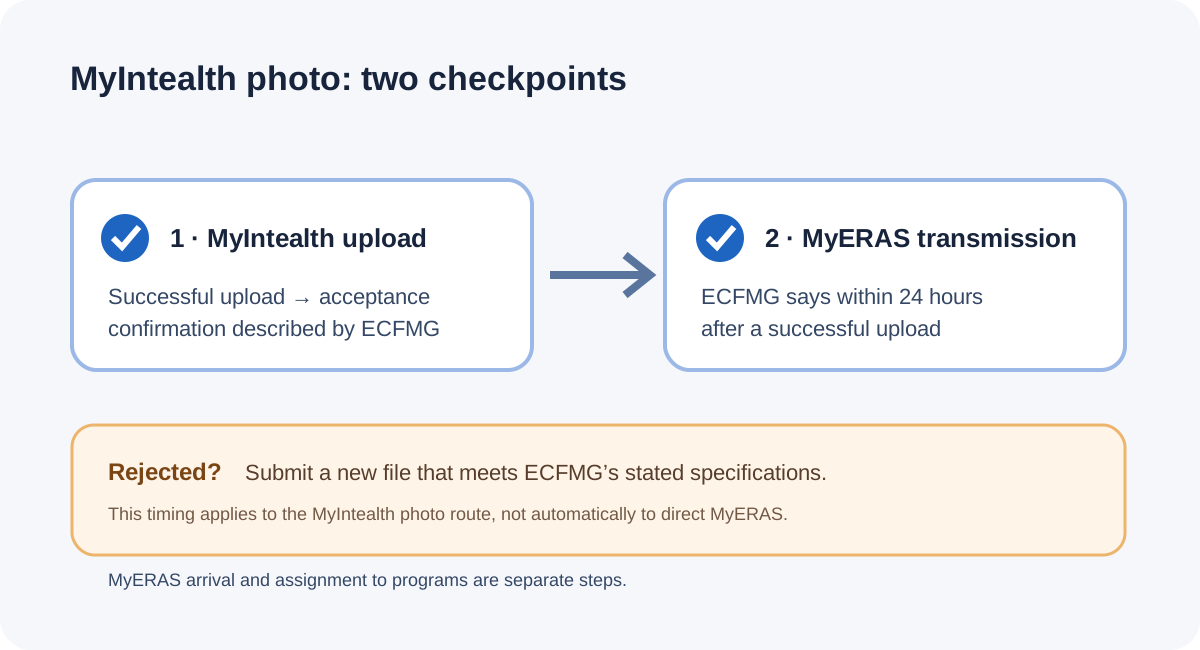
If you submitted through ECFMG’s MyIntealth, first look for its successful-upload acceptance confirmation: ECFMG says a successfully uploaded photo transmits to MyERAS within 24 hours. If it was rejected, submit a new file that meets the listed specifications. If you used direct MyERAS, do not apply MyIntealth’s 24-hour statement to that separate route.
Confirmation is not the same as appearance in MyERAS
ECFMG’s public ERAS Supporting Documents page gives a specific sequence for a photograph submitted through MyIntealth: sign in to the Applicant Portal, open ERAS Support Services, use Document Upload, upload the photograph, and select Submit. The page says a successful upload produces confirmation of acceptance and that the photograph transmits to MyERAS within 24 hours. It separately says a rejected photograph must be replaced with a new file that meets the stated specifications.
That wording gives you two useful checkpoints: did MyIntealth confirm acceptance, and has the photo reached MyERAS after the stated transmission window? A click on Submit by itself is not the confirmation ECFMG describes. Likewise, a confirmation is evidence of a successful MyIntealth upload, while the page describes transmission as a later step. The public instructions do not promise that every screen refreshes instantly.
Identify the upload route before deciding what “missing” means
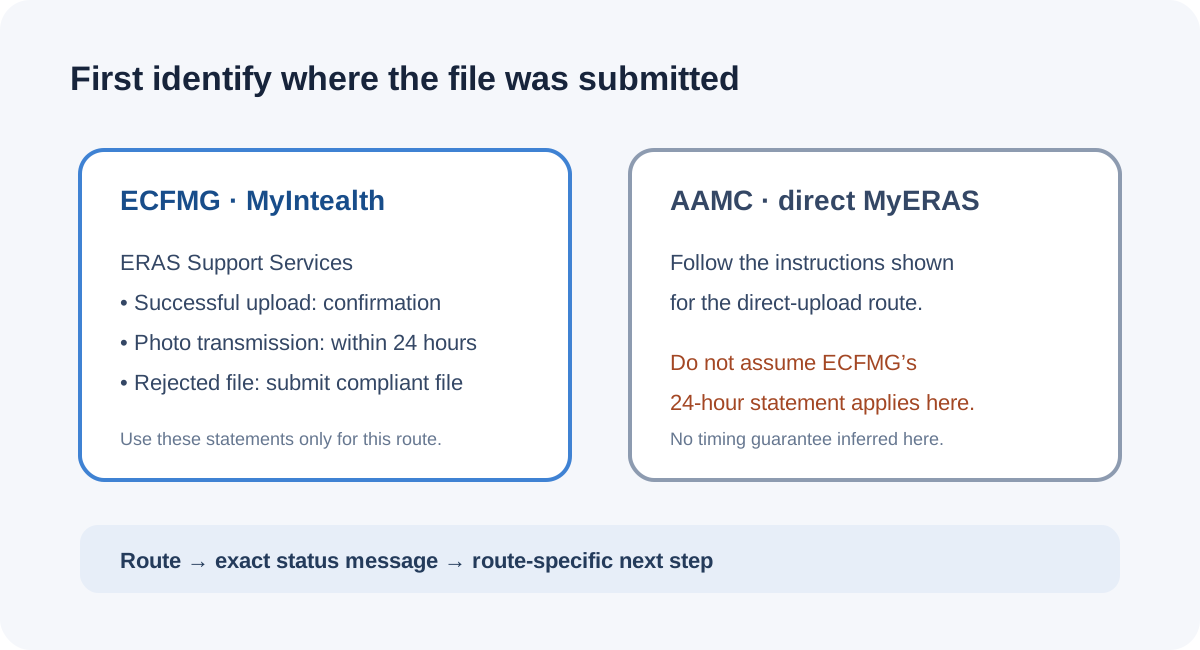
The phrase “my ERAS photo is missing” can describe different events: no success message after Submit, a rejection notice, an accepted MyIntealth photo not yet visible in MyERAS, or a direct MyERAS upload that did not finish. Those are not interchangeable states. ECFMG’s acceptance-confirmation and 24-hour transmission statement is specifically on its MyIntealth photograph instructions. AAMC’s photo page covers its direct MyERAS route; an ECFMG transfer interval should not be presented as an AAMC guarantee.
For the MyIntealth route, treat the confirmation as the evidence that the submission succeeded according to the public instructions. Then check MyERAS again within the stated 24-hour window. If there is a rejection, fix the underlying file against the published checklist before submitting a replacement: JPEG, no more than 150 KB, no larger than 2.5 by 3.5 inches, and a clear, centered, forward-facing head-and-shoulders image with a natural expression and eyes open. Those technical limits come from the ECFMG page; this article does not inspect or certify a reader’s photo.
If the confirmation is absent, the public page does not specify a separate retry interval or guarantee what a repeated click will do. Record what the portal displayed and check the document status/history available in that same account before deciding whether another submission is needed. If the status remains unclear, ask ERAS Support Services about that exact state. ECFMG explicitly says not to email the photograph itself and says it cannot modify applicant files. Do not infer acceptance from a button click, a local image preview, or an anecdotal forum reply.
This route-first reading is an editorial synthesis of the official sequence and limits: the page documents acceptance confirmation, subsequent transmission, and replacement after rejection, but it does not define every no-confirmation scenario. Keeping these outcomes separate makes the next question more precise without inventing a portal rule.
A practical decision flow for a photo that is not visible
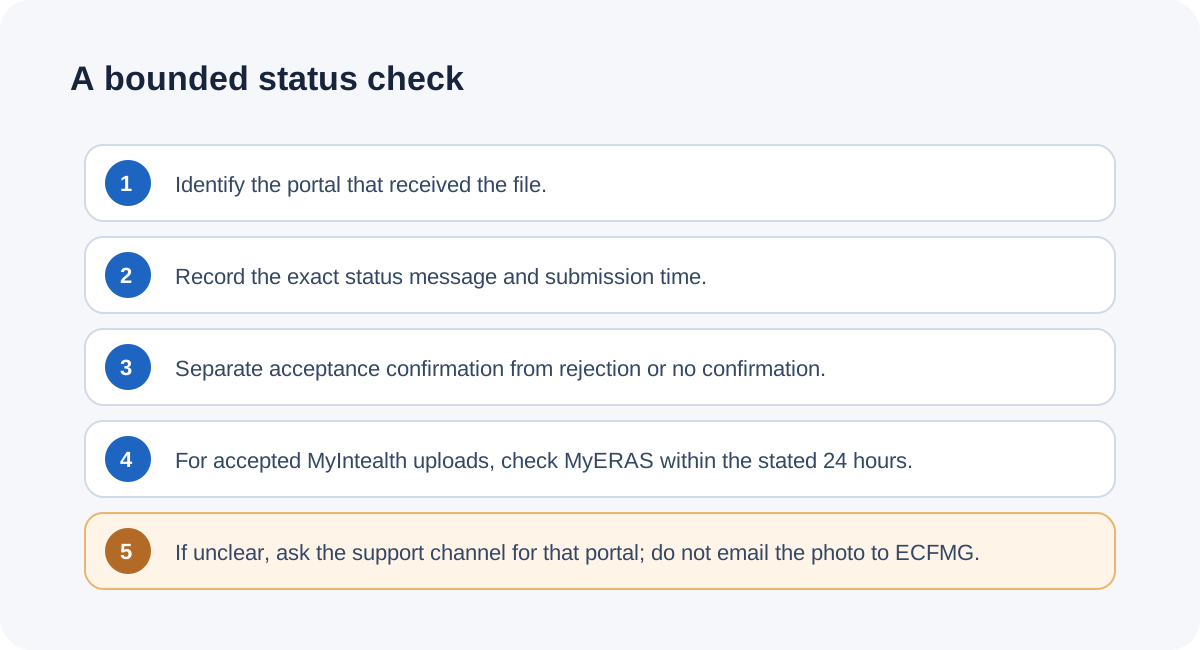
- Write down where you uploaded it. Was it the ECFMG MyIntealth Applicant Portal’s ERAS Support Services document-upload flow, or direct MyERAS? Use that portal’s own confirmation and status messages.
- Capture the current message, not just the button. Note the exact visible status and submission time. A successful MyIntealth upload should produce the acceptance confirmation described by ECFMG; a rejected file has a different documented next step.
- If MyIntealth confirms acceptance, check the destination after the stated interval. ECFMG says the photo transmits to MyERAS within 24 hours. This is the published transfer window for that route, not a promise about direct AAMC uploads or program displays.
- If MyIntealth rejects the photo, correct the specified file issue. Verify the actual encoded file is JPEG and meets the size and inch limits. A filename extension or preview alone does not prove the encoded format or dimensions.
- If there is no confirmation or the status remains unclear, ask about that state. Preserve the exact message and the time; contact the support route associated with the portal. Do not email the photo to ECFMG, which says it cannot modify applicant files.
The flow deliberately stops short of prescribing repeated submissions: the cited public photo instructions explain confirmation, a transmission window, and what to do after rejection, but do not describe an automatic retry rule when confirmation is missing. Ask support with the message and route rather than treating an uncertain screen as proof of success or failure.
Common questions
Does an upload click prove my photo was accepted?
For MyIntealth, ECFMG describes a confirmation of acceptance when the system uploads the digital photograph successfully. The public wording distinguishes that confirmation from the Submit action itself.
How long does a MyIntealth photo take to appear in MyERAS?
ECFMG says a successfully uploaded photograph transmits within 24 hours. Its page does not state that timing for the direct MyERAS photo route.
What if the photo was rejected?
ECFMG says to submit a new file that meets its listed specifications. The requirements are JPEG, maximum 150 KB, no larger than 2.5 × 3.5 inches, plus the stated framing and expression criteria.
It appears in MyERAS, but can programs see it?
ECFMG treats availability to programs as a separate step: its instructions say to assign the photo on MyERAS’s Additional Documents tab. Transmission into MyERAS alone is not the same instruction as assigning it to programs.
Should I email my photo to ECFMG Support?
No. ECFMG’s photo instructions say not to email the photograph and explain it cannot modify applicant files. Ask about the upload status without attaching the photo unless the official support channel specifically instructs otherwise.
Can a forum post tell me whether my upload worked?
No. Public applicant posts can show that people ask about missing confirmations or delayed visibility, but they cannot establish your account’s state or change the official instructions.
Watch the short explainer
This video follows the same route-specific status check with original diagrams and English narration. English captions are burned into the video; the precise public instructions and links remain in the source list below.
Watch What to Check When an ERAS Photo Is Missing in MyERAS on YouTube
Sources and scope
- ECFMG, ERAS: Supporting Documents — Photograph — MyIntealth steps, successful-upload confirmation, within-24-hours transmission statement, replacement after rejection, file limits, and instruction not to email the photo.
- AAMC, Photo — direct MyERAS photo instructions. The page was returned as a client challenge when opened during this review; route distinction was retained, but no extra timing claim is inferred.
- ECFMG, Tips for Using MyIntealth (PDF) — general portal troubleshooting tips; not used to invent a photo-specific retry interval.
- Reddit, “ERAS photo” — applicant question about receiving no confirmation after Submit; anecdotal question signal only, not proof about portal operation.
- Reddit, “Is ERAS photo upload down?” — applicant question about repeated upload attempts and later visibility; used to identify the information need, not as technical evidence.
Sources checked October 16, 2026. No logged-in applicant portal was accessed and no photo was uploaded or assessed. This independent guide is not affiliated with AAMC, ECFMG, Intealth, ERAS Support Services, or any residency program. Confirm the current portal status and instructions for your own route.