ERAS HEADSHOT · APPLICATION PDF VS. PHOTO STATUS
Does the ERAS application PDF include your headshot?
The AAMC’s public instructions do not explicitly say whether the “View/Print MyERAS Application” PDF embeds the photo. AAMC describes the PDF as a preview of application contents for programs, and separately says the photo must be assigned to designated programs. Use the PDF to review application content; check the photo’s assignment separately.
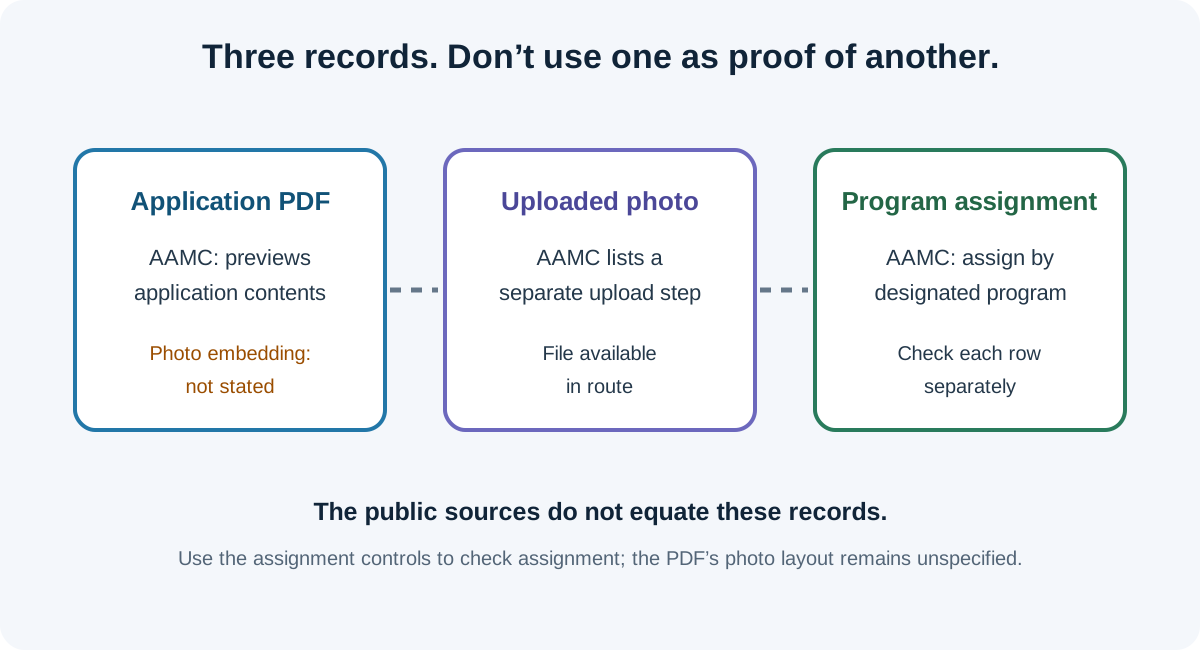
What the AAMC pages actually establish
The AAMC “Viewing Your MyERAS Application” page says the PDF opens from “View/Print MyERAS Application” and shows how the contents of the application will be displayed to programs. The same page describes the PDF format. It does not name the photograph or say whether a photo file is embedded in that PDF.
The separate AAMC “Photo” page describes uploading a photo and assigning it to designated programs. It says assignments can be made from Additional Documents or by program, and that a photo assigned to a program already applied to cannot be unassigned. That is a distinct status pathway from opening a PDF.
These statements can both be true without answering the PDF-image question. The public wording reviewed here does not let a reader infer “the photo is inside the PDF” or “the photo is definitely outside it.” It does support checking the photo assignment independently instead of using the PDF as a substitute for that status.
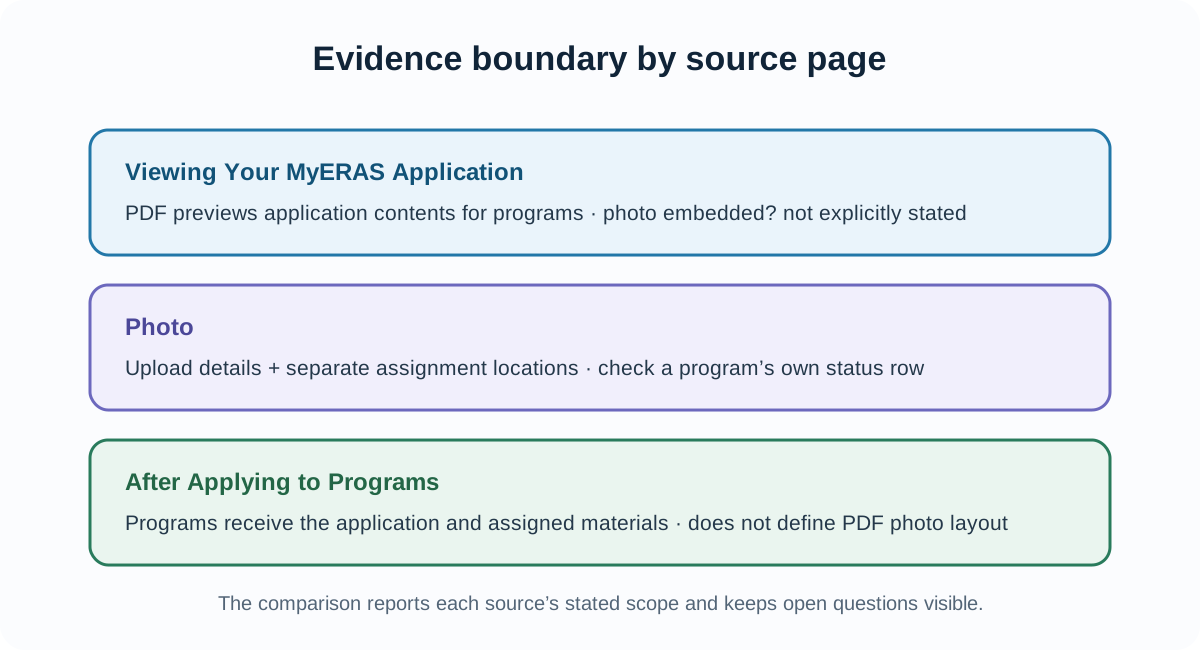
Separate the three records before interpreting a screen
When a photo question is phrased as “What do programs see?”, several different records can be collapsed into one: the applicant’s application PDF, the uploaded photo file, and the photo’s assignment to a program. A useful source check writes them on separate lines and attaches a specific public instruction to each one.
| Record or screen | What the source states | What it cannot prove |
|---|---|---|
| “View/Print MyERAS Application” PDF | AAMC says it previews how application contents are displayed to programs. | The page reviewed does not explicitly say whether the photo is embedded in that PDF. |
| Photo upload | AAMC’s Photo page gives the direct MyERAS upload action and file requirements for U.S. medical school graduates. | An uploaded photo alone does not establish that it has been assigned to each designated program. |
| Photo assignment | AAMC says applicants must make assignments to designated programs and lists MyERAS locations for doing so. | An assignment row is not a description of how the image is laid out in the application PDF. |
| Program-facing view | AAMC says programs use photos most often to help identify applicants at interviews; ECFMG describes an additional memory-aid use in its IMG route. | The public pages reviewed do not document every program’s exact screen, thumbnail, or print layout. |
The matrix is a reading aid, not a reconstruction of the private MyERAS interface. It preserves the boundary between what an official page names and the separate state a reader wants to verify.
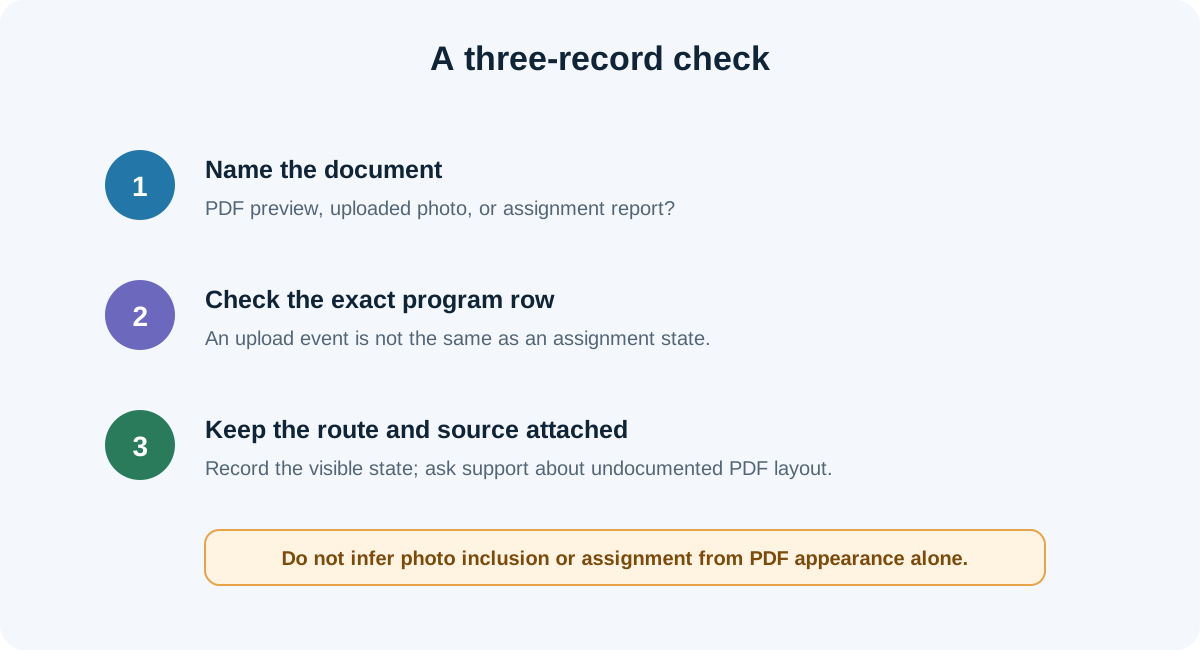
A three-record check for a PDF or photo question
- Identify the document you opened. If the tab title or action says “View/Print MyERAS Application,” treat it as the application PDF described by AAMC. Do not label it a photo-assignment report unless the portal calls it that.
- Check the photo status in the photo controls. Use the Photo page’s named assignment locations—Additional Documents, Saved Programs, or Programs Applied To—and inspect the particular program row. An upload confirmation and an assignment state are different records.
- Keep the route in the note. For U.S. medical school graduates, AAMC describes direct MyERAS upload. AAMC directs IMG residency applicants to ECFMG, whose MyIntealth instructions describe submission and a separate MyERAS assignment step. A PDF wording statement should not be transferred into another route’s process.
- Record what you observed, not a conclusion beyond it. Note the PDF title, the program row, and the exact status shown. A PDF that does not display an image would not, by itself, prove the photo was not assigned; a thumbnail alone would not prove a program’s exact downstream rendering.
- Ask the designated support team about the unresolved display question. The public AAMC page does not specify photo embedding in the PDF. If that exact distinction matters for an account, ask MyERAS support with the PDF name and the separate photo assignment status. Do not infer it from another applicant’s account or a forum reply.
This workflow is derived from the different records named in AAMC and ECFMG instructions. It does not access an applicant account, test a portal, or claim what any individual program saw.
Common questions
Does the View/Print PDF prove my photo was assigned?
No. AAMC describes the PDF as a view of application contents and describes photo assignment separately. Check the assignment controls for each designated program.
Does the AAMC public page say the photo is missing from the PDF?
No. The page reviewed does not explicitly state whether the photo is embedded. This article does not infer inclusion or exclusion from that silence.
If the photo appears in MyERAS, is it assigned automatically?
AAMC says applicants must make assignments to the programs they designate. Check the assignment status for the specific program instead of assuming that upload equals assignment.
Does the PDF show exactly what every program sees?
AAMC says the PDF shows how MyERAS application contents will be displayed to programs. The source page reviewed does not describe every photo thumbnail or program-side screen, so do not extend that statement to an unspecified photo layout.
Where should an IMG check the photo route?
AAMC directs IMG residency applicants to ECFMG for photo submission information. ECFMG’s MyIntealth guidance describes upload and transmission, while its instructions say the photo must be assigned in MyERAS to make it available to programs.
Sources and scope
- AAMC, Viewing Your MyERAS Application — PDF access and the statement that it previews application contents for programs.
- AAMC, Photo — route-specific upload requirements and separate photo-assignment instructions.
- AAMC, After Applying to Programs — program access to applications and assigned materials.
- ECFMG, ERAS Supporting Documents — Photograph — MyIntealth photo submission/transmission and separate MyERAS assignment requirement for the IMG route.
- Public applicant question, “ERAS Headshot” — asks whether the photo is shown in the circle or downloaded separately; used only as evidence of a question, not as an official answer.
Official sources reviewed November 8, 2026. AAMC’s public pages reviewed do not explicitly settle whether the application PDF embeds a photo. No private portal or program view was accessed. This independent guide is not affiliated with AAMC, ECFMG, Intealth, ERAS, or any residency program.