ERAS HEADSHOT / PHOTO ASSIGNMENT
ERAS photo assignment: when to assign it and how to verify
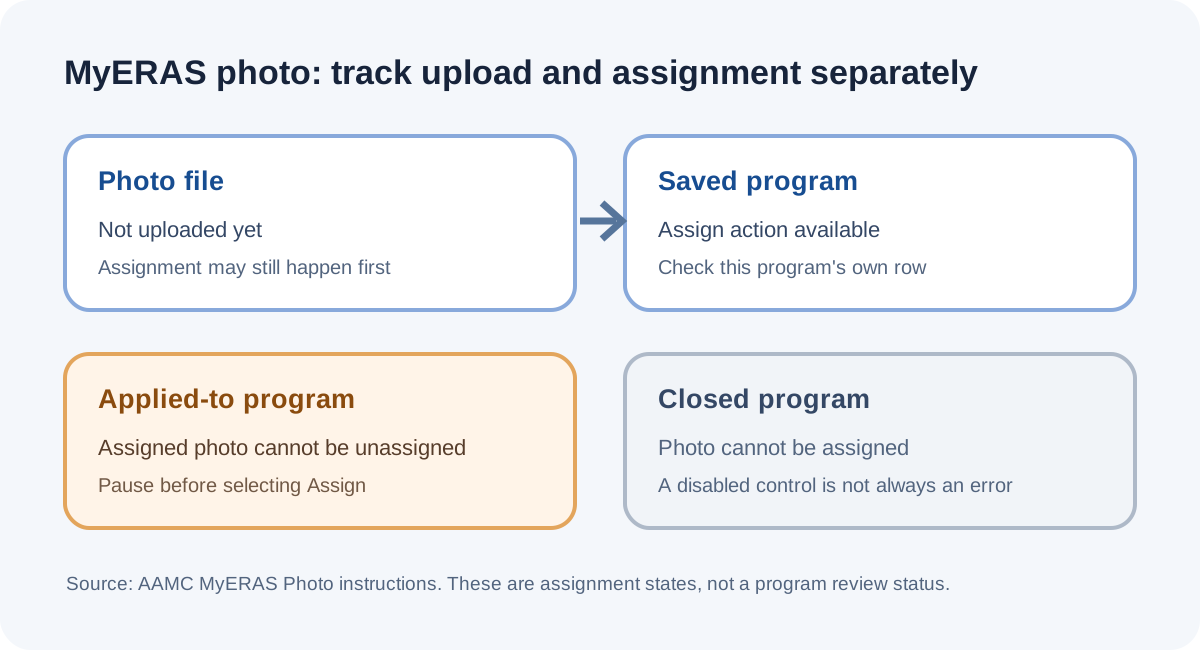
AAMC says you can assign an ERAS photo to saved or applied-to programs even before the photo is uploaded. Check the assignment separately for each program: after a photo is assigned to a program you have applied to, AAMC says it cannot be unassigned, and closed programs cannot receive a photo assignment.
Uploading and assigning are different actions
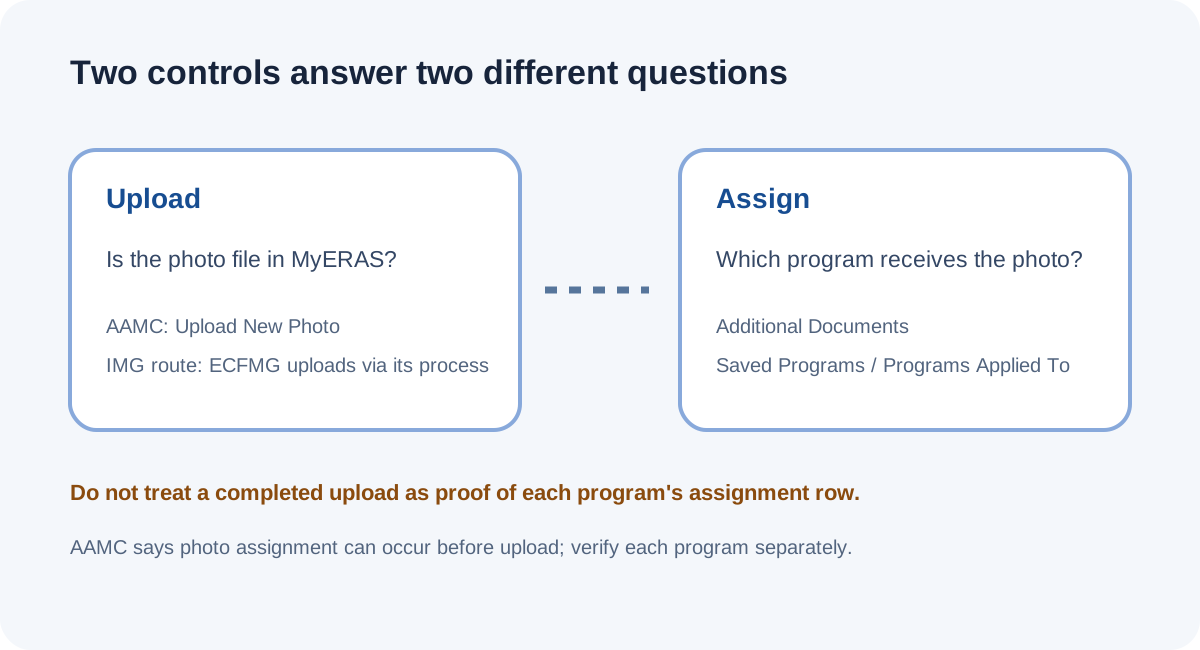
AAMC’s photo instructions describe an upload action and a separate assignment action. For direct MyERAS, the photo page says applicants upload under “Upload New Photo.” In its “Assigning the Photo” section, AAMC says applicants make photo assignments to designated programs and can assign from the Additional Documents page or by program from Saved Programs and Programs Applied To. The page says assignment can happen before upload, so the two actions do not have to occur in the order many applicants assume.
This guide is about the MyERAS assignment controls. ECFMG handles the IMG photo upload through MyIntealth; after the file reaches MyERAS, the assignment question belongs to MyERAS. Assignment is also distinct from applying to a program: the AAMC page describes assigning to saved or applied-to programs, while the irreversible condition it names is specifically a photo assigned to a program that has been applied to.
Read the assignment state before taking another action
A useful way to interpret the screen is to track two separate facts for each program: whether you have applied to it, and whether the photo is assigned to it. A photo file existing in MyERAS does not, by itself, answer the second question. Conversely, an assignment control can be available before upload, so a missing file and an unassigned row are not necessarily the same state.
| What you know | What the AAMC page says | What not to infer |
|---|---|---|
| Photo not uploaded yet | It can still be assigned before upload. | Do not infer that upload is already complete. |
| Program is saved | Photo can be assigned to a saved program. | Do not treat “saved” as “applied.” |
| Program is applied to | Photo can be assigned; once assigned to an applied-to program, it cannot be unassigned. | Do not assume the assignment can later be reversed. |
| Program is closed | A photo cannot be assigned to a closed program. | Do not interpret a disabled control as proof of an upload error. |
| Checkbox is disabled | AAMC says the listed program already has the photo assigned and has been applied to. | Do not try repeated clicks to “fix” a state the page describes as already assigned. |
This state model is a reading aid built from the conditions AAMC explicitly names. It does not claim to reproduce the logged-in interface, and it does not determine whether a particular program has reviewed an application.
A conservative check before assigning
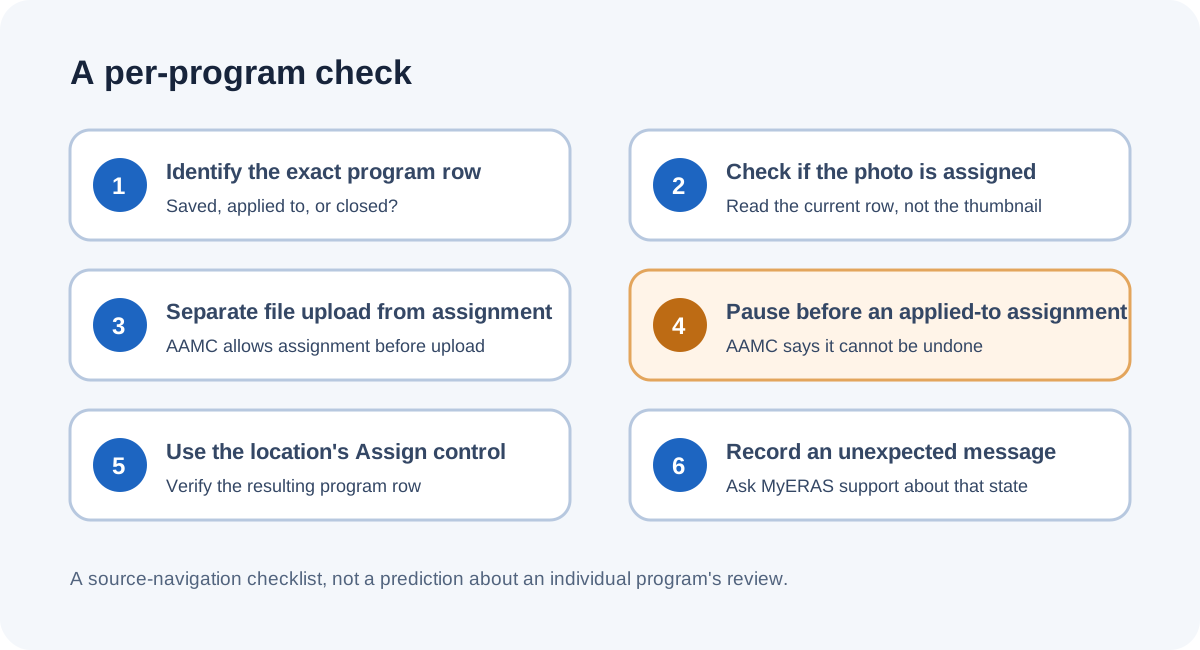
- Identify the exact program row. Use the current MyERAS program list, not a photo thumbnail or a general upload status. Keep the program name and whether it is saved, applied to, or closed attached to your notes.
- Check whether the photo is already assigned. AAMC says a disabled checkbox on the photo assignment list means the photo is already assigned and the application has been applied to that program. Treat that as an existing state, not an invitation to retry.
- Separate file readiness from assignment. If the photo has not been uploaded, AAMC says assignment may still be made first. This tells you what the control permits; it does not certify that a later upload will be accepted.
- Pause at the irreversible condition. Before selecting Assign for an applied-to program, note AAMC’s statement that the photo cannot be unassigned afterward. The public instruction does not describe an undo path.
- Use the documented control for the location you are in. AAMC lists Additional Documents for assigning to saved or applied-to programs, and per-program Assign actions on Saved Programs and Programs Applied To. Check the resulting row for each program rather than assuming one selection applied everywhere.
- Do not use a closed program to diagnose another row. The page says closed programs cannot be assigned a photo. If the control is unavailable and the state does not match the published cases, record the exact message and contact MyERAS support for that account-specific state.
This is a decision sequence, not an instruction to assign a photo to every program. AAMC tells applicants to research programs individually to verify their requirements and use of the photo; this public page does not say that every program uses it in the same way.
Common questions
Can I assign the photo before uploading it?
Yes. AAMC says the photo can be assigned at any time, including before it is uploaded. That statement describes the order allowed by MyERAS; it does not mean a photo has already been uploaded.
Can I remove a photo assignment after applying?
AAMC says that once the photo is assigned to a program you have applied to, it cannot be unassigned. Its public instructions do not describe an undo control for that state.
Does one assignment cover every program?
AAMC describes assignments to the programs you designate and lists actions on the Additional Documents, Saved Programs, and Programs Applied To pages. Check each intended program’s own state rather than infer that one action covers all programs.
Why is the checkbox disabled?
AAMC says a program listed with a disabled checkbox already has the photo assigned and has been applied to. If your screen differs from that published case, use the exact visible message when asking support.
Does “assigned” mean the program has reviewed my photo?
No such review state is established by the photo instructions. AAMC says the photo is most often used to help programs identify applicants when reporting for an interview; it does not describe an individual program’s review status.
Watch the assignment walkthrough
This short companion follows the three diagrams above: upload and assignment are separate states, assignments are checked per program, and the AAMC instructions identify the applied-to assignment as the point that cannot be undone.
Sources and scope
- AAMC, Photo — upload requirements; assignment timing, locations, disabled-checkbox meaning, applied-to unassignment limit, and closed-program restriction.
- AAMC, 2027 MyERAS Applicant User Guide — current-cycle application guide and photo assignment section.
- ECFMG, ERAS Supporting Documents — Photograph — IMG photo submission route and instruction that the uploaded photo must be assigned in MyERAS for programs to see it.
- September 2026 public applicant question — applicant says they forgot to assign the photo and asks whether to notify programs; treated as a question signal only, not evidence of portal behavior or outcome.
Official instructions were reviewed October 17, 2026. Public discussion is anecdotal and is not used to infer what an individual program will do. This independent guide is not affiliated with AAMC, Intealth/ECFMG, or any residency program.