ERAS PHOTO · REPEAT APPLICANTS
Can You Reuse Last Year’s ERAS Headshot?
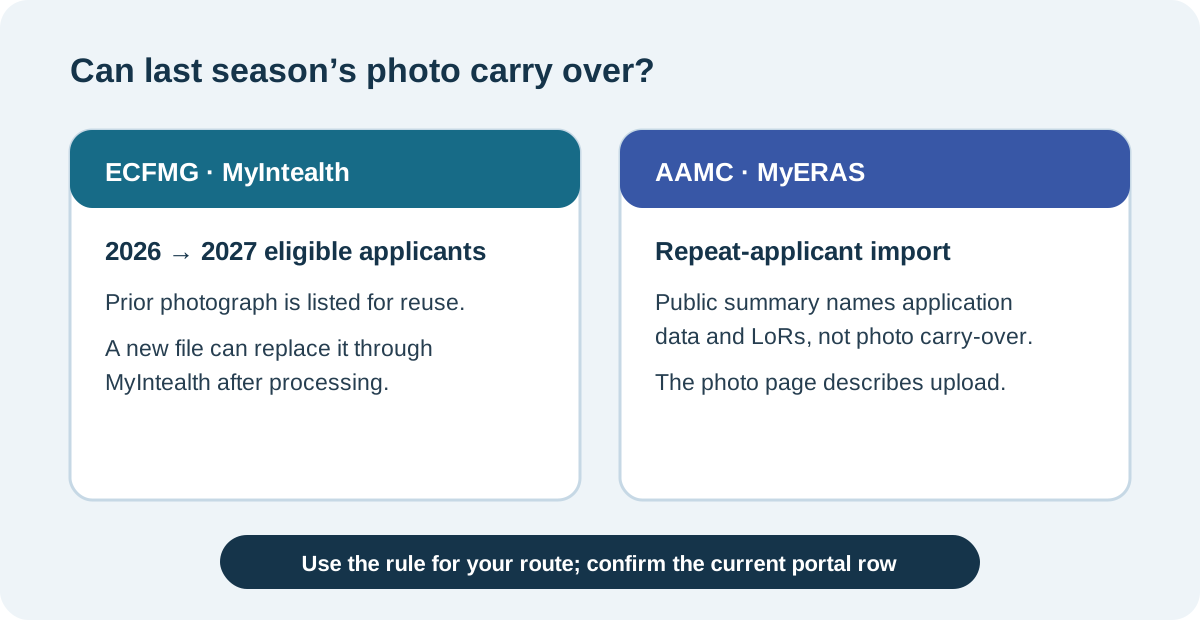
It depends on the route. ECFMG says eligible applicants who participated in the 2026 and 2027 ERAS seasons do not need to resubmit a previously used photograph; they can submit a new one through MyIntealth if they want to replace it. For direct MyERAS applicants, the AAMC pages reviewed explain application-data imports and photo upload separately and do not say that a prior photo automatically carries over.
What the current pages say
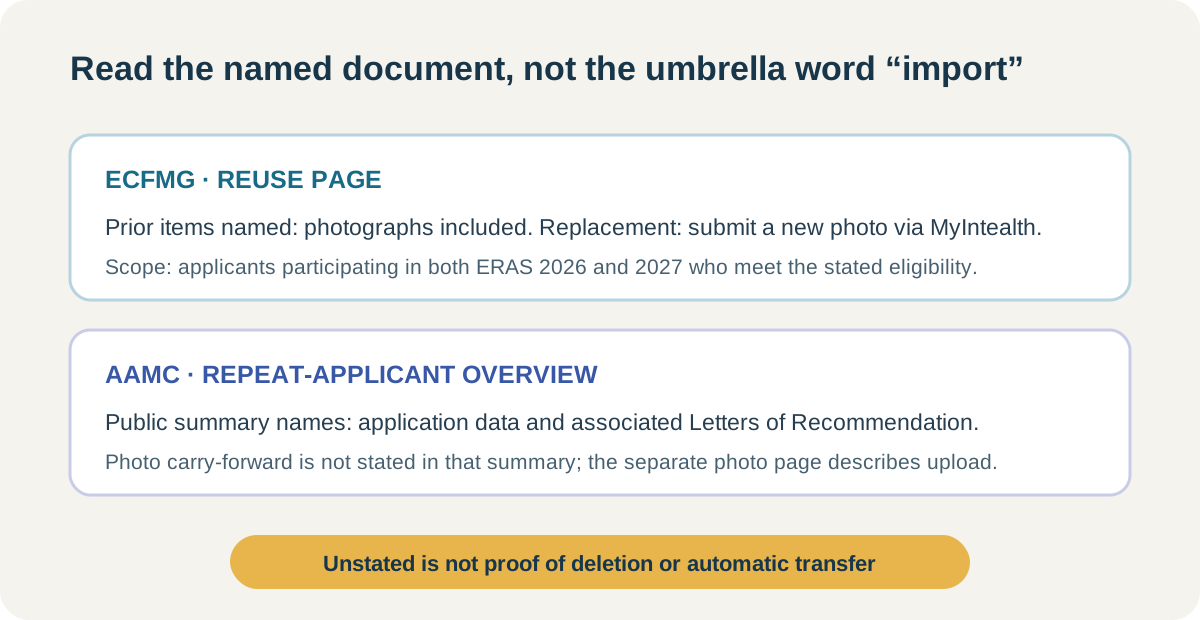
For the 2027 season, ECFMG’s ERAS Supporting Documents page says applicants who participated in the 2026 season and also participate in 2027 are eligible to reuse certain documents. Its list includes photographs. It also says an applicant who wants to submit a new photo must submit it through MyIntealth, where the new image replaces the previously submitted one after processing.
The AAMC’s repeat-applicant overview says applicants who certified and submitted in a prior season may import application data and associated Letters of Recommendation. Its public description does not say that the photo is part of that import. The AAMC photo page separately instructs U.S. medical school graduates to upload their own photo in MyERAS. Those are the public statements reviewed here; they do not prove what an individual account currently displays.
| Route | Published carry-forward wording | What to take from it |
|---|---|---|
| ECFMG MyIntealth for IMG residency | Eligible 2026-and-2027 participants are not required to resubmit photographs; a new photograph can be submitted through MyIntealth to replace the prior one. | Reuse is stated for that eligibility group and season pair. |
| AAMC direct MyERAS | The repeat-applicant overview describes application-data and LoR imports; the separate photo page describes uploading a photo. | The reviewed public text does not confirm automatic photo carry-forward. |
A source map for repeat applicants
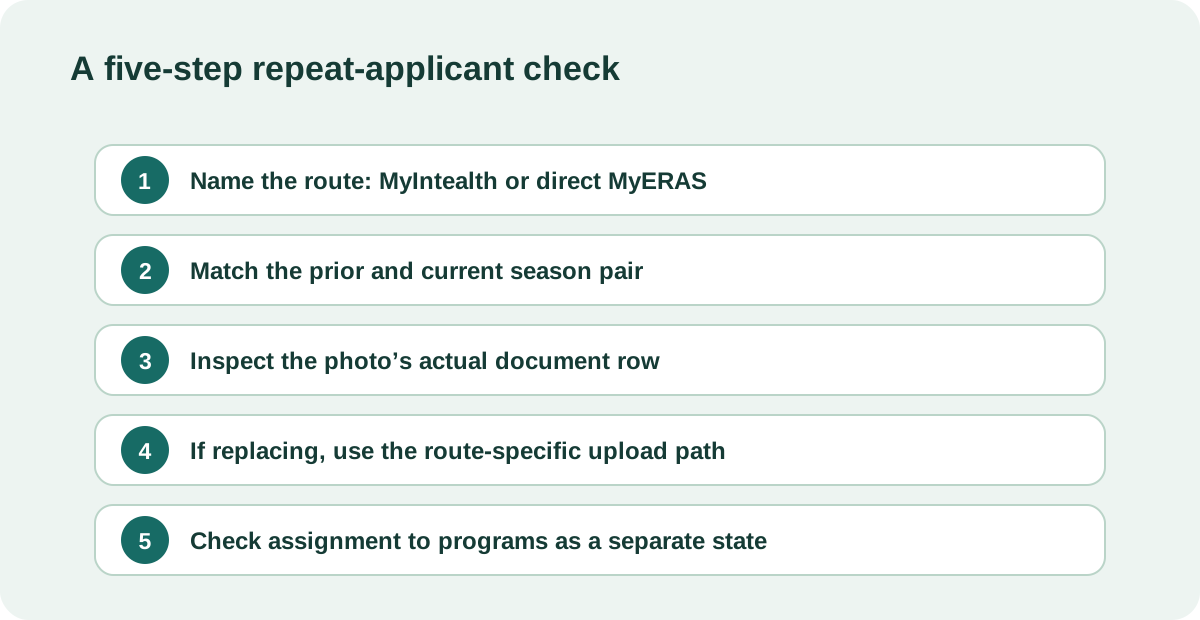
“I used this photo last year” is a fact about a previous season; it does not by itself establish what the new season’s portal has carried forward. To answer the reuse question without guessing, map the instruction to the route, season pair, document type, and replacement action. This four-field method is a reading aid built from the differences between the current public pages cited below.
Route: write down whether the image entered through MyIntealth ERAS Support Services or was uploaded directly in MyERAS. The page describing one route cannot establish the carry-forward behavior of the other.
Season pair: ECFMG’s explicit reuse statement names participation in ERAS 2026 and ERAS 2027. It should not be silently generalized to another year pair. The AAMC overview speaks more generally about prior-season application data and LoRs, but that phrasing is not an explicit photo-retention statement.
Document type: read the list item itself. ECFMG names photographs among the documents eligible for reuse. AAMC’s repeat-applicant overview names application data and associated LoRs; the photo is described on a separate page. A list that names one file type should not be expanded to include an unlisted one.
Replacement action: ECFMG states that an applicant who wants a new photo submits it through MyIntealth and that, after processing, it replaces the earlier photo. That is a documented replacement route. The sources reviewed do not establish a universal completion time for every individual account, so the portal’s current document status remains the account-specific evidence.
The result of this map is deliberately narrow: one route has an explicit reuse statement for the 2026-to-2027 pair; the other public source set reviewed does not explicitly confirm that a photo is imported. “Not stated in the reviewed text” is not proof that the system deletes, retains, or rejects a file. It marks the point where the public page stops answering and the logged-in season-specific document list becomes relevant.
A practical check before relying on an older image
Use this sequence to keep an old file, a new upload, and the file shown to programs distinct. It does not assess whether your appearance has changed enough to warrant a new portrait, and it cannot reveal a portal state that is not shown in the public sources.
- Identify the route. Start with the MyIntealth photo-reuse instructions for the ECFMG IMG route, or the AAMC MyERAS photo and repeat-applicant pages for a direct MyERAS upload.
- Match the season pair. If relying on ECFMG’s reuse statement, check that the instruction covers your actual prior and current seasons.
- Read the exact document row. Confirm whether the portal shows the photo as available, reused, missing, or requiring an upload. Do not infer this from an application-data import message.
- If replacing, follow the route’s submission path. ECFMG directs applicants to submit a new photo in MyIntealth; the AAMC photo page describes the MyERAS upload action for U.S. medical school graduates.
- Check assignment separately. AAMC says a photo must be assigned to designated programs and explains the assignment controls. A photo existing in a document area and a photo assigned to a program are different states.
This sequence is an original source-to-portal checklist, not an observed test of either account system. It prevents three common reasoning errors: treating a prior-season data import as proof that an image transferred, treating an eligible reuse statement as proof of a particular account’s current state, and treating upload as the same step as program assignment.
Common questions
Does ECFMG carry my 2026 photo into ERAS 2027?
ECFMG’s current reuse page says eligible applicants participating in both the 2026 and 2027 seasons do not need to resubmit photographs. Check the current MyIntealth document state for your account.
Does AAMC say my old photo is imported into a new MyERAS season?
The AAMC pages reviewed describe repeat-season application-data and LoR imports, and separately describe photo upload. They do not explicitly state on the reviewed public pages that a prior photo automatically carries over.
Can an ECFMG IMG applicant replace a reused photograph?
Yes. ECFMG says a new photograph can be submitted through MyIntealth and will replace the prior image after processing.
Is an uploaded photo automatically visible to every program?
Not necessarily. AAMC’s photo guidance describes program assignment as a separate step and says the applicant must assign the photo to designated programs.
Does the official reuse wording decide whether an older portrait still looks like me?
No. The cited pages describe document reuse and submission mechanics; they do not evaluate an individual image’s current likeness or provide a universal appearance judgment.
Sources and scope
- ECFMG / Intealth, ERAS Supporting Documents — Reusing Documents and Photograph — current 2026-to-2027 reuse wording, photo inclusion, and replacement path.
- AAMC, Apply to Residencies with the ERAS System — History and Imports for Repeat Applicants — repeat-season application-data and LoR import description.
- AAMC, MyERAS Photo guidance — direct MyERAS upload and separate program-assignment instructions.
- r/medicalschool, “Same ERAS Photo for New Cycle” — an applicant asks whether to use the prior cycle’s photo again; this is a question signal, not an official rule.
Official pages reviewed October 22, 2026. This comparison is limited to public 2027 applicant guidance and the named routes. It does not inspect private accounts or infer what a program prefers. Residency Headshot is independent and is not affiliated with AAMC, ECFMG, Intealth, ERAS, or the National Resident Matching Program.
Watch the repeat-applicant photo explainer
This companion explains the route-specific public wording about reusing a prior-season ERAS photograph. English captions are available in the player.