ERAS HEADSHOT · ASSIGNMENT STATUS
Does the ERAS Assignments Report show your headshot?
AAMC says the Assignments Report shows the status of assigned supporting documents for saved and applied programs. Its separate Photo instructions describe photo-specific assignment controls in Additional Documents and in each program list. The public instructions reviewed do not explicitly confirm whether the photo appears as a row in the Assignments Report, so the report’s general description alone cannot settle that photo-specific question.
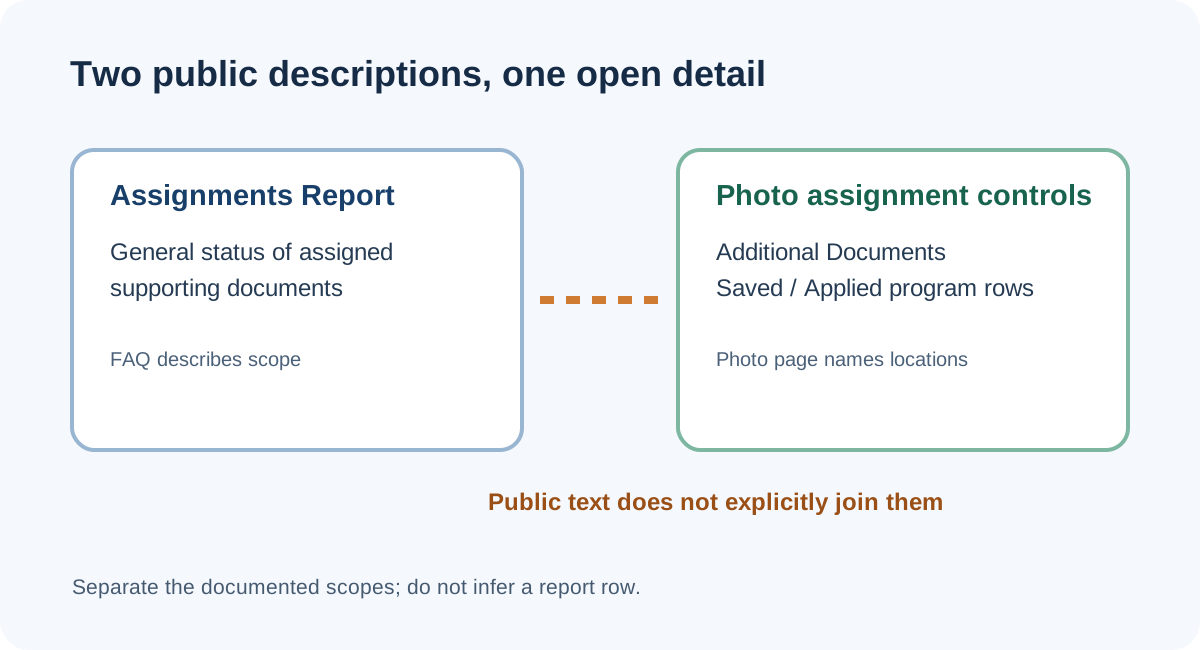
What the two AAMC pages say
The 2027 ERAS applicant FAQ places the Assignments Report under the Programs tab. It says the report can be checked to ensure supporting documents were assigned and sent to applied programs, and that its checklist shows assigned-document status for saved and applied programs. The same FAQ lists “Photo (optional)” among supporting documents; that label describes the category in the list and does not name the report’s photo row.
The AAMC Photo page separately says applicants make photo assignments to programs they designate. It identifies the Additional Documents page and the individual Saved Programs and Programs Applied To pages as places to assign the photo. It also explains the meaning of a disabled checkbox and limits assignment to programs that are not closed. The page does not refer to the Assignments Report by name.
Those statements establish a general report and photo-specific controls. They do not establish that every document listed in the general FAQ appears in the report in the same way, or that a photo-specific status is exposed there. No logged-in MyERAS screen was accessed for this guide.
A source-by-source check
To answer a portal-status question without turning a broad sentence into a screen-level claim, separate the question into three parts: what the report is for, where the photo page says assignment is controlled, and whether either public page explicitly joins those two statements. This comparison records only what the cited pages name.
| Official page | What it confirms | What it does not specify |
|---|---|---|
| 2027 applicant FAQ | Assignments Report is under Programs; its checklist describes assigned supporting-document status for saved and applied programs. | It does not list the photo as a named report row in the text reviewed. |
| AAMC Photo chapter | Photo assignment is handled through Additional Documents or a named program’s Actions menu on Saved Programs / Programs Applied To. | It does not say that the Assignments Report duplicates those photo controls. |
| Public applicant question | Applicants ask how to confirm assigned materials by program. | A forum post cannot establish a portal’s photo-specific report behavior. |
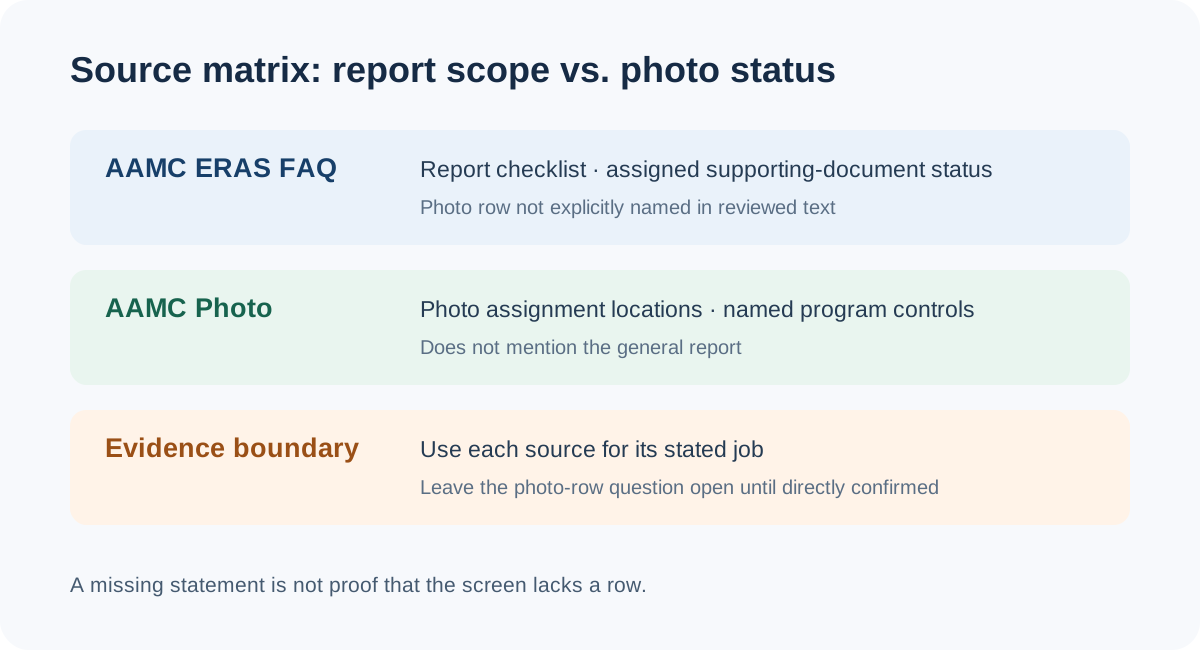
A bounded way to read the two status views
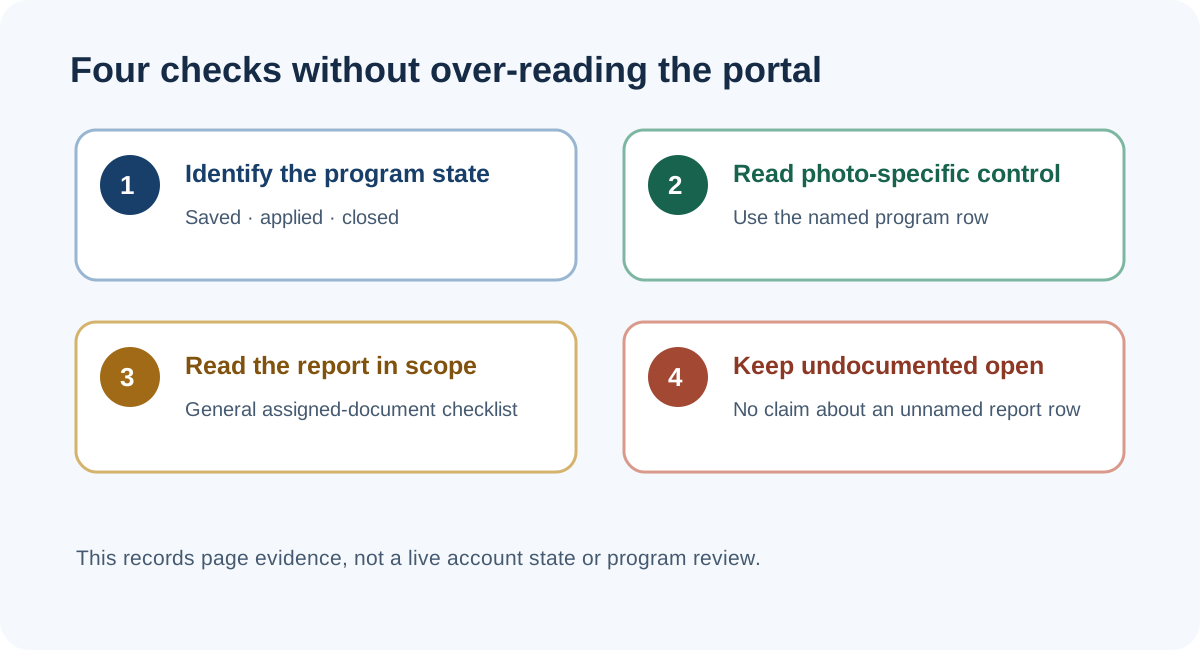
- Start with the program row. Keep each program’s state—saved, applied, or closed—separate. AAMC’s photo instructions apply assignment controls to saved or applied programs and say closed programs cannot receive a photo assignment.
- Read the photo-specific control. The Photo page names Additional Documents and the program lists as assignment locations. It says a disabled checkbox means the photo is already assigned and the application has been applied to that program. Record that state against the named program.
- Use the Assignments Report for its published scope. The FAQ says it summarizes assigned supporting-document status across saved and applied programs. Treat that as a general checklist rather than proof that the photo is shown in a particular report row.
- Keep the unresolved link unresolved. The two public pages reviewed do not explicitly state whether a photo row appears in the report. A private account view or a direct answer from MyERAS support would be needed to establish that screen-level detail for a specific account.
Common questions
Does AAMC say all assigned documents appear in the report?
The FAQ says the report shows the status of assigned supporting documents. The text reviewed does not enumerate every item or specifically name a photo row.
Where does AAMC say to check photo assignment?
The Photo chapter names the Additional Documents page and the Actions menu on a specific saved or applied program. See the photo-assignment walkthrough for the source-bounded states.
Is the Assignments Report the same as the application PDF?
No. They are different views described for different tasks. The application PDF guide covers what the public instructions say about the “View/Print MyERAS Application” PDF and the separate photo status.
Does a report entry prove a program viewed the photo?
No. Assignment status concerns whether a document is assigned or sent; the reviewed pages do not establish that an individual program opened or reviewed it.
Sources and scope
- AAMC, FAQs for ERAS Residency Applicants — MyERAS Documents — 2027-season FAQ, supporting-document list, and Assignments Report description.
- AAMC, Photo — photo upload and assignment instructions, including the photo-specific controls.
- Public applicant question, “How can I be 100% sure I submitted ERAS?” — used only as an example of the applicant question around assigned-document confirmation, not evidence of portal behavior.
Sources checked November 9, 2026. No private MyERAS account was accessed. This page does not claim the report lacks a photo row; it records that the public text reviewed does not explicitly specify one. This independent guide is not affiliated with AAMC, ECFMG, Intealth, ERAS, or any residency program.