ERAS HEADSHOT / A NEUTRAL COMPARISON METHOD
How to Compare ERAS Headshot Options Without Guessing
Compare each file with the official photo checks for your application route first; if multiple files meet them, the public rules do not rank clothing styles or predict which a program will prefer. For direct MyERAS, AAMC lists the file types, 150 KB limit, and centered-face check. For the ECFMG MyIntealth IMG route, the photo page adds clear, full-front head-and-shoulders framing and a natural expression with eyes open and looking ahead. Keep route rules separate, then record your own preference without presenting it as an admissions prediction.
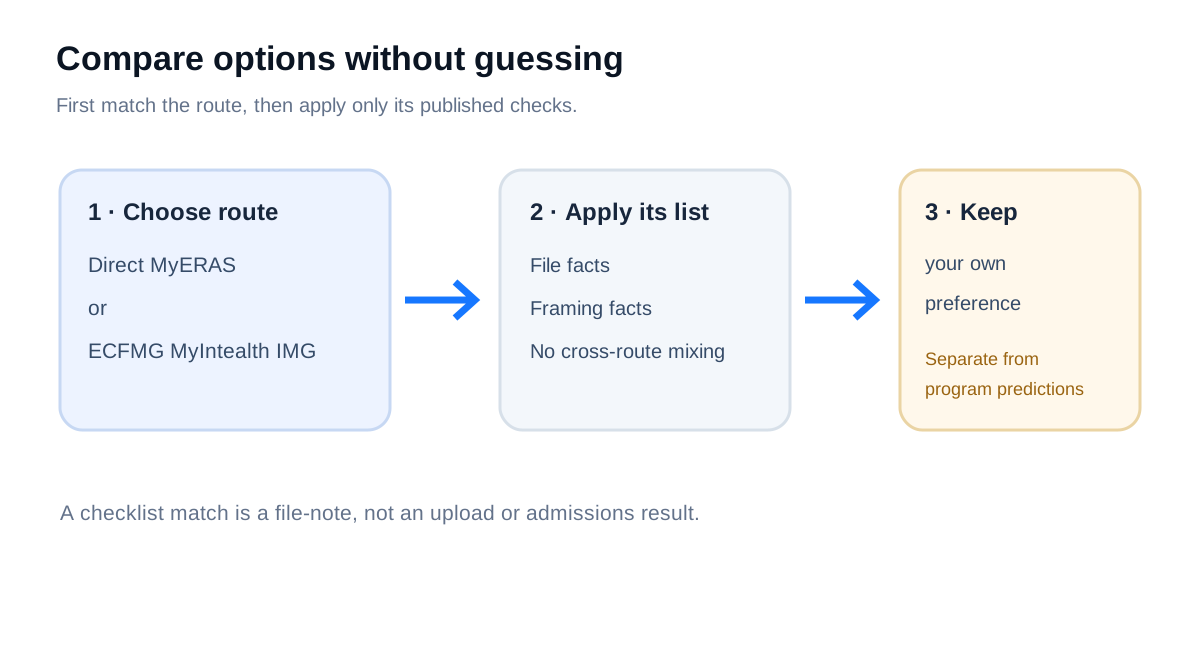
What the official pages let you compare
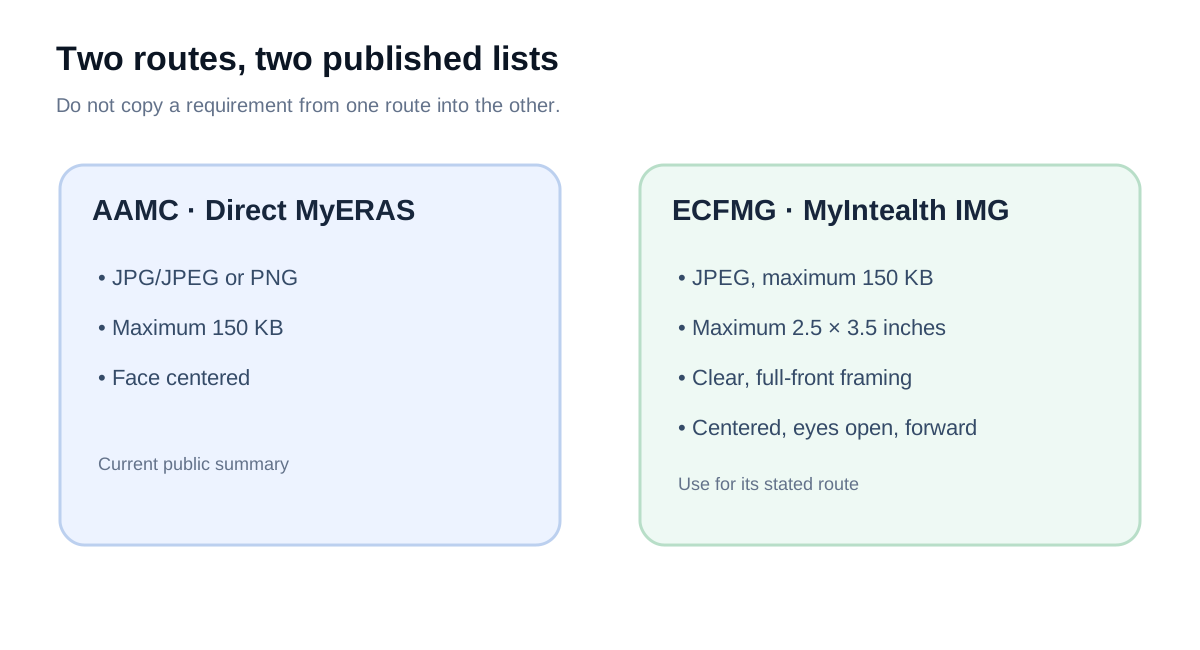
AAMC’s direct MyERAS photo page lists JPG/JPEG or PNG, a maximum file size of 150 KB, and a centered face. It also tells applicants to research programs individually about their photo requirements and use. The ECFMG MyIntealth page for IMG applicants describes a different submission path: JPEG, a 150 KB maximum, a 2.5 × 3.5 inch maximum, and a clear, full-front head-and-shoulders view with the face centered, natural expression, eyes open, and gaze ahead.
Those lists are not interchangeable. In particular, an ECFMG inch limit should not be silently added to the AAMC public summary, and an AAMC PNG allowance should not be carried into ECFMG’s JPEG-only route. The pages reviewed do not establish that a tie, jacket, background shade, or gender presentation changes a program’s evaluation. The AAMC page explicitly points applicants to each program for its own requirements and use.
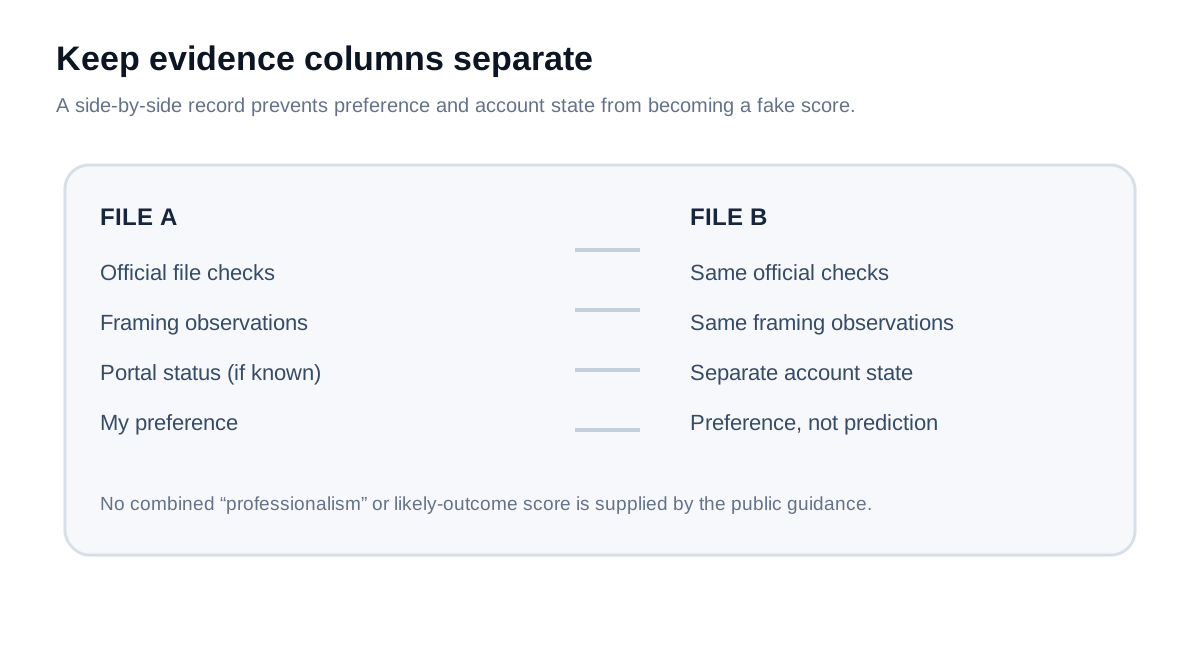
A neutral worksheet for comparing two files
Label the files A and B before reviewing them. Use the same row for both files so the comparison does not drift into a different rule for each one. This worksheet records published checks and personal preference separately; it does not score a photograph or estimate an interview outcome.
| Record for each file | AAMC direct MyERAS | ECFMG MyIntealth IMG |
|---|---|---|
| Exact local filename and a preserved original copy | Record it; the published summary does not set a naming rule. | Record it; the photo page does not set a naming rule. |
| Actual encoded type and file size | Compare with JPG/JPEG or PNG and ≤150 KB. | Compare with JPEG and ≤150 KB. |
| Frame / face observations | Record whether the face is centered. | Record clarity, full-front head-and-shoulders view, centered face, natural expression, open eyes, and forward gaze. |
| Personal preference, in your own words | Record what you prefer without translating it into a claim about program preference. | |
| Account state, if already uploaded | Keep the visible portal status separate from this offline comparison; the worksheet cannot verify upload, assignment, or what a program sees. | |
Use the table as a file-by-file record. A “meets listed checks” note means only that the recorded properties match the cited public list; it is not a portal acceptance result. If a program publishes an additional photo requirement, keep that as a separate program-specific row rather than altering the general AAMC or ECFMG list.
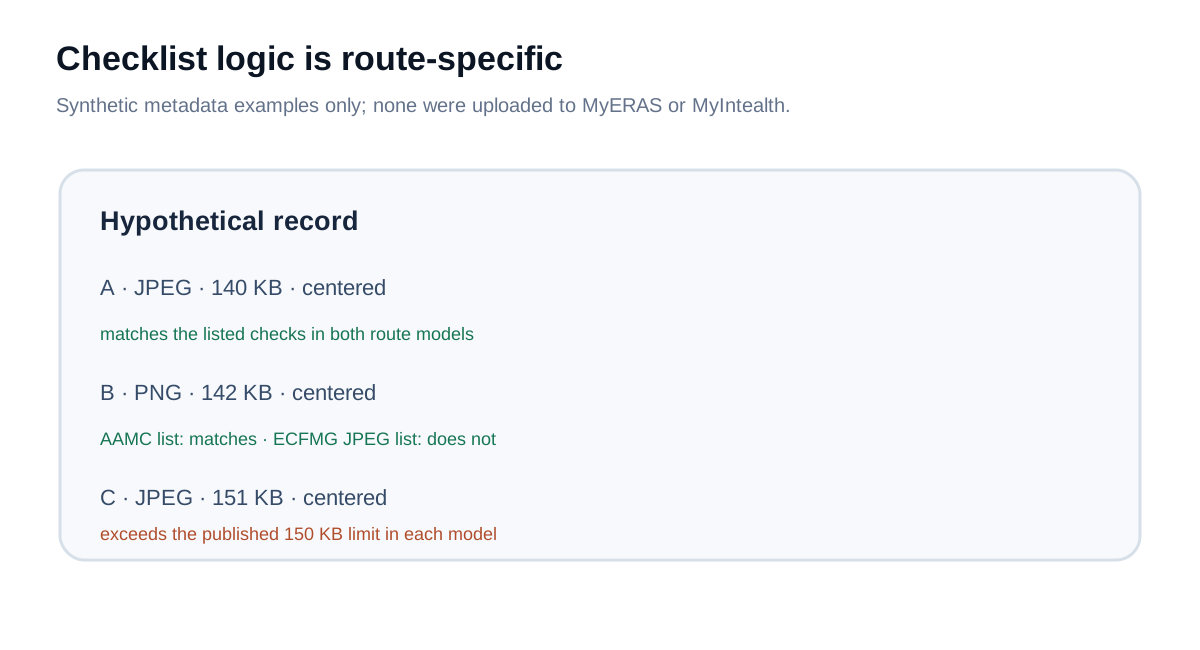
What a reproducible checklist test shows
A small logic check ran three hypothetical file records through two route-specific checklists. Record A was JPEG, 140 KB, centered, and marked clear, full-front, with eyes open and a forward gaze. Record B was PNG, 142 KB, and had the same framing flags. Record C was JPEG, 151 KB, and had the same framing flags. These are synthetic metadata states—not applicant photos or portal submissions.
Against the published MyERAS summary, A and B matched the listed type, size, and centered-face checks; C failed the listed size check. Against the ECFMG list, A matched the encoded checklist, while B failed the JPEG type check and C failed the size check. “Matched” here means only those recorded hypothetical properties matched the text used by the worksheet. It says nothing about the appearance of an actual photo, account processing, or program response.
The useful result is a separation of questions: first, which route applies; second, what file facts can be checked locally; third, what the applicant personally prefers. A public requirement can answer the first two only to the extent it lists them. It cannot supply an unlisted clothing ranking or a prediction about a particular program.
What this comparison cannot establish
It does not identify which of two real photographs is more attractive, professional, or likely to be selected. It does not establish that attire or gender presentation affects program decisions. Public AAMC guidance says programs use the photo most often to help identify applicants at interviews and says applicants should check programs individually; ECFMG describes identification at interviews and a memory aid for rank-order lists. Neither page supplies a universal wardrobe rubric or an outcome model.
A 2026 applicant discussion asks which of two clothing variations to submit. That thread documents the question, not the answer; replies are not official evidence of how programs evaluate photographs. Keep the decision grounded in the current route rules and your own preference instead of treating forum predictions as policy.
If the only disagreement is a cropped portal thumbnail, that is a different question from choosing the source file. The public instructions do not define every preview rendering. See the preview evidence guide and the assignment guide for those separate checks.
Common questions
Does AAMC require a tie or a particular outfit?
The public AAMC photo summary reviewed lists technical and framing criteria, not a tie or clothing rule. It says to research individual programs about requirements and use; it does not publish a universal outfit ranking.
Can I use one checklist for every applicant route?
No. AAMC’s direct MyERAS summary and ECFMG’s MyIntealth IMG photo page list different route details. Apply the page for the route that handles the submission.
Does a file matching the checklist prove it will be accepted?
No. This article’s local worksheet tests only recorded file properties against published wording. It does not submit a file, inspect an account, or verify acceptance.
Sources and scope
- AAMC, Photo — direct MyERAS file and centered-face summary; assignment context; recommends checking programs individually.
- AAMC, 2027 MyERAS Applicant User Guide — current cycle guide.
- ECFMG, ERAS Supporting Documents — Photograph — MyIntealth IMG route requirements and program-availability note.
- Public applicant question, “Eras Photo choices” (June 15, 2026) — used only to document the question of comparing two outfit variations; replies are not used as policy.
Sources checked October 31, 2026. The decision worksheet is an independent editorial synthesis, not an AAMC or ECFMG tool. No applicant account, real photo, portal, or program view was accessed. Residency Headshot is independent and is not affiliated with AAMC, ECFMG, Intealth, or ERAS.