ERAS PHOTO REQUIREMENTS · FELLOWSHIP ROUTE
ERAS Headshot for Fellowship vs. Residency: Upload and Size Rules
For an ERAS fellowship application, AAMC says applicants upload their own photo through EFDO Online Services; its current fellowship page lists a 100 KB maximum and dimensions no larger than 2.5 × 3.5 inches. That differs from the direct MyERAS residency instructions, which list up to 150 KB for JPG/JPEG or PNG. First identify the application route, then follow the matching current instructions.
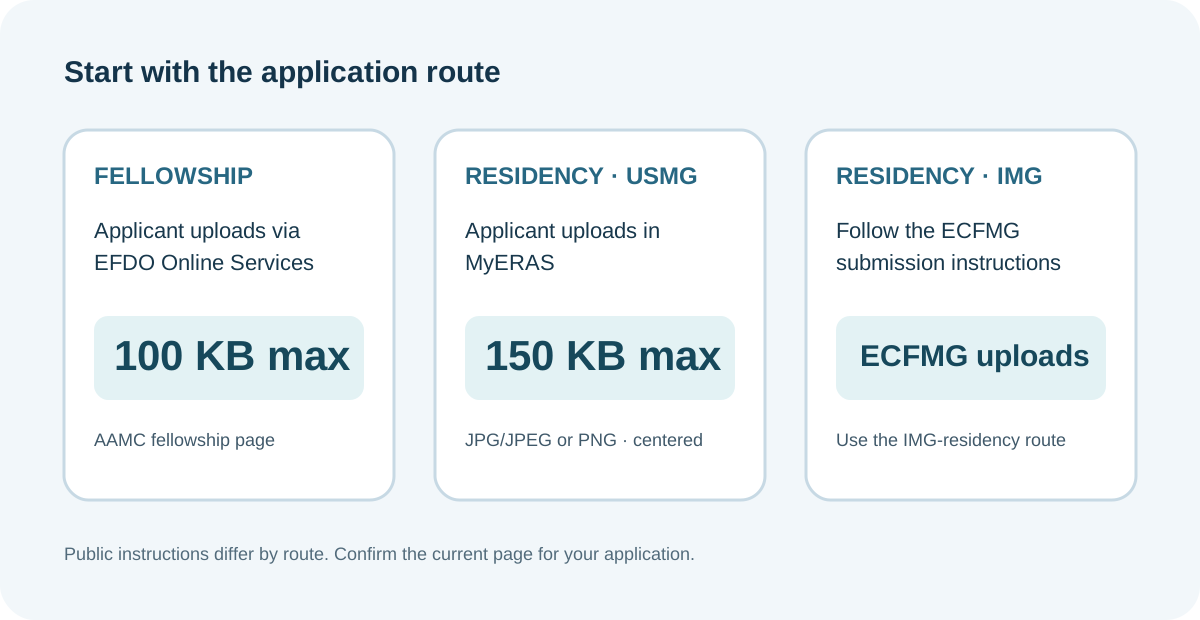
Start with the application route, not a remembered limit
AAMC’s fellowship document page says EFDO is the designated dean’s office for all fellowship applicants, whether they graduated from a U.S. or international medical school. For the fellowship photo, it directs applicants to upload their own image in EFDO Online Services and lists a maximum file size of 100 KB and maximum dimensions of 2.5 by 3.5 inches. EFDO Online Services is reached from the applicant’s MyERAS Additional Documents page.
The AAMC residency photo page describes different routes. U.S. medical school graduates upload their photo in MyERAS; the page lists JPG/JPEG or PNG, a 150 KB maximum, and a centered face. For IMG residency applicants, ECFMG is responsible for uploading the photo into ERAS. The residency page also says EFDO is responsible for fellowship-photo uploads into ERAS. These are not interchangeable instructions.
| Application route | Photo submission path described publicly | Listed photo specifications | Who handles the ERAS upload? |
|---|---|---|---|
| Fellowship | Applicant uses EFDO Online Services | Maximum 100 KB; no larger than 2.5 × 3.5 inches | Applicant uploads in EFDO Online Services; EFDO is designated dean’s office |
| Residency, U.S. medical school graduate | MyERAS, “Upload New Photo” | JPG/JPEG or PNG; maximum 150 KB; centered face | Applicant uploads directly in MyERAS |
| Residency, IMG | Follow ECFMG instructions for photo submission | Use the current ECFMG ERAS photograph section for its route-specific criteria | ECFMG uploads the residency photo to ERAS |
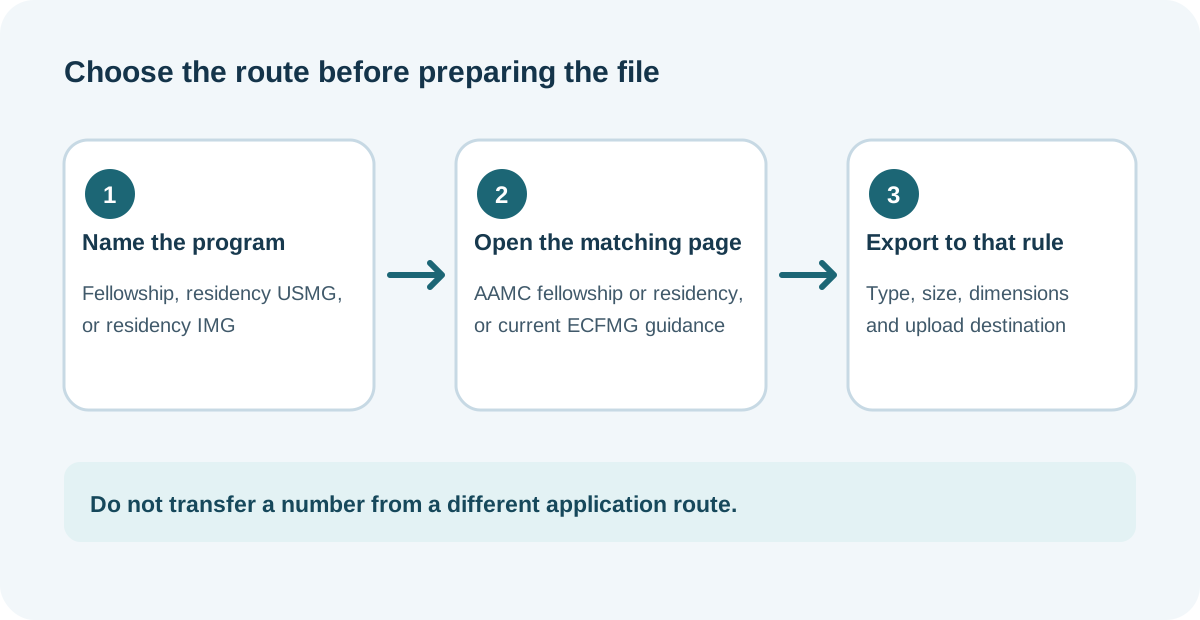
The difference is operational as well as numeric. Selecting a file that meets the residency page’s 150 KB limit does not establish that it fits the fellowship page’s 100 KB maximum. Conversely, this comparison does not mean the residency instructions apply to every residency applicant in the same way: the AAMC page assigns the IMG-residency upload to ECFMG. Always open the page for the route you are actually using.
A route-first photo check you can repeat
Use this four-field check whenever a photo specification is copied from a checklist, an older season, or another applicant. It is a method for keeping sources attached to the right task; it does not test a portal or predict acceptance.
- Name the application. Write “fellowship” or “residency,” and record whether your route is direct MyERAS, ECFMG for IMG residency, or EFDO for fellowship. Avoid writing only “ERAS,” because the AAMC’s public pages give different upload responsibilities.
- Open the corresponding photo page. For fellowship, use the AAMC fellowship documents page and its EFDO path. For residency, use the AAMC photo page or the current ECFMG photograph instructions for the IMG route. Save the page title and date checked beside the rule.
- Copy each criterion into a separate field. Keep file type, maximum bytes, dimensions, framing and upload destination in separate boxes. A “100 KB” entry belongs to the fellowship page cited here; “JPG/JPEG or PNG, 150 KB, centered face” belongs to the AAMC direct residency list. Do not merge these into an all-purpose limit.
- Verify the submission receipt and assignment separately. The fellowship page’s photo instructions describe the EFDO submission path. If you need to know whether a processed photo is visible or assigned in MyERAS, check the relevant applicant portal status and program-specific instructions; this page does not infer those states from the file-size rule.
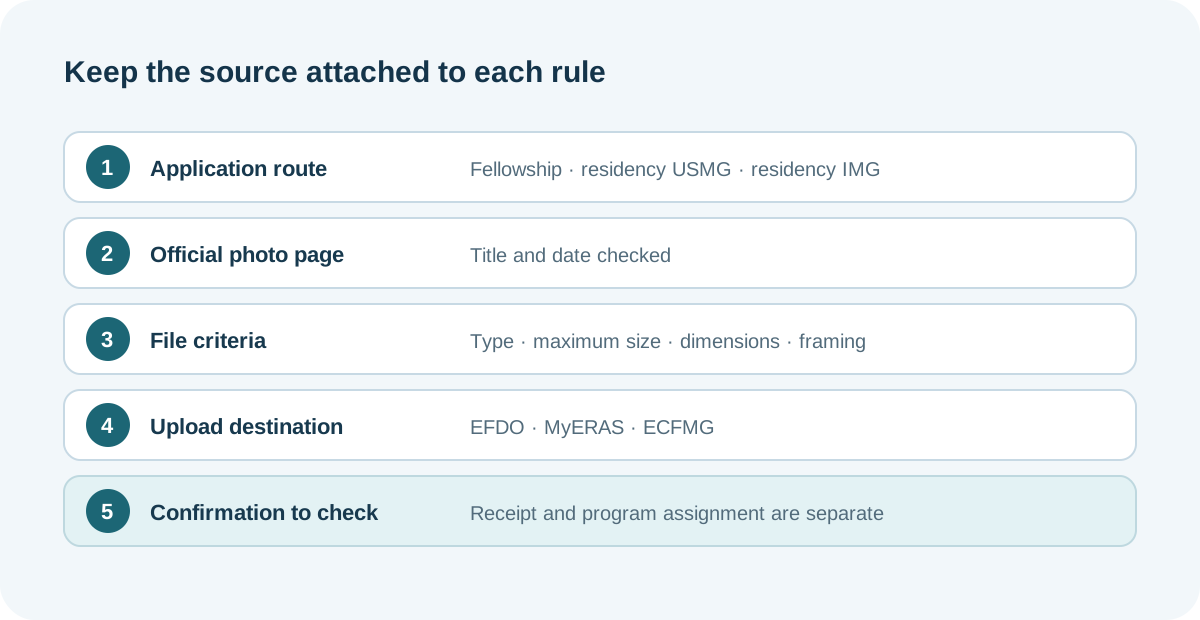
A compact note can look like this: Route | official photo page | file type/size/dimensions | upload destination | portal confirmation. Fill it from the instructions for the active route. If one field is absent from the page, mark it “not stated in this source” and check the designated office’s current instructions rather than importing another applicant’s number.
This prevents three common mix-ups: applying residency’s 150 KB figure to a fellowship file; assuming a fellowship applicant should upload the image directly in MyERAS; and treating an upload receipt as proof that the image is assigned to every intended program. Those are separate checks, and each needs its own source or portal status.
Why fellowship upload questions come up
A recent public discussion in r/fellowship asks about picture upload and describes confusion about EFDO handling. That thread is only a signal that applicants ask about the workflow. The answer above comes from AAMC’s published fellowship and residency instructions, not from comments or another applicant’s experience.
Common questions
Can I use the residency 150 KB limit for a fellowship photo?
The AAMC fellowship page lists a 100 KB maximum. Use the fellowship page’s limit for that workflow; do not substitute the direct-residency 150 KB entry.
Do fellowship applicants upload the photo inside MyERAS?
The public AAMC fellowship page directs applicants to upload the photo in EFDO Online Services. The link to the individual EFDO account is available from the MyERAS Additional Documents page.
Does every residency applicant upload the photo personally?
No. AAMC says U.S. medical school graduates upload through MyERAS, while ECFMG handles the upload for IMG residency applicants. Check the route that matches your application.
Does meeting the public file specifications guarantee acceptance?
No. This article compares the public instructions and does not test account-specific validation or guarantee a program’s requirements. Confirm the current instructions for your route and programs.
Video explainer
This explainer compares the AAMC fellowship photo route with the distinct residency upload paths. English narration includes burned-in English captions; narration is AI-generated.
Sources and scope
- AAMC, “MyERAS Documents for Fellowship Applicants” — EFDO pathway, applicant upload direction, 100 KB limit and dimensions.
- AAMC, “Photo” for residency applicants — direct MyERAS residency list, U.S. graduate and IMG/ECFMG responsibilities, and fellowship/EFDO distinction.
- AAMC, “Documents” for residency applicants — document processing context and designated-office distinctions.
- r/fellowship, “Picture upload” — public question signal only; not an official source.
Public instructions checked October 28, 2026. No logged-in portal was tested. Residency Headshot is independent and is not affiliated with AAMC, EFDO, ECFMG, Intealth, ERAS, or the National Resident Matching Program.