FILE LAB / ERAS HEADSHOT
How to compress an ERAS headshot without guessing
Export a copy, change one JPEG setting at a time, then reopen the file and check its bytes, dimensions, and appearance. In our fixed synthetic-card test, JPEG quality 52 produced a 148,061-byte file; quality 92 produced 281,379 bytes. Those results describe this test card, not a portrait, and no export setting guarantees portal acceptance.
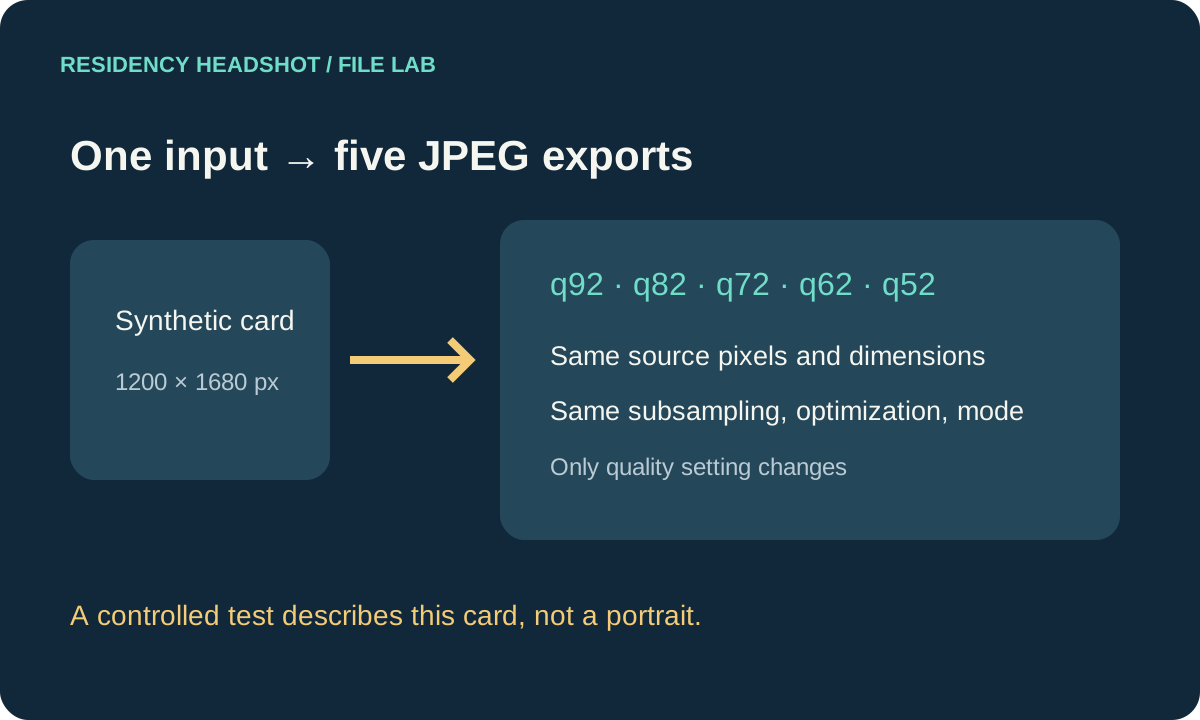
Watch the five-setting JPEG test
Watch ERAS Headshot Compression Test: Five JPEG Settings on YouTube
Start with the upload route and its current limit
The AAMC Photo chapter lists JPG/JPEG or PNG and a maximum file size of 150 KB for its direct MyERAS photo route. It says international medical graduates should use ECFMG’s photo-submission instructions. ECFMG’s MyIntealth photograph section specifies JPEG, a 150 KB maximum, and dimensions no larger than 2.5 by 3.5 inches. Check the current page for the route you will use before exporting.
Both routes publish the same 150 KB maximum, but the format lists differ. This page measures local JPEG exports only. It does not test MyERAS or MyIntealth, resolve how either system interprets “KB” at the byte boundary, or establish whether a specific image meets every requirement.
Our controlled test: lower settings, measured trade-offs
We built one person-free 1200 × 1680 pixel test card with gradients, fine rules, small type, solid color blocks, and a deterministic texture pattern. It is a synthetic graphic, not an applicant photo. The same RGB pixels were encoded as five JPEG files using Pillow 12.3.0. We held subsampling at 0, optimization off, progressive encoding off, RGB mode, and dimensions fixed. The only changed input was the JPEG quality setting.
For each saved file, the script reopened the JPEG, read its detected format and dimensions, counted exact bytes, decoded RGB pixels, and computed mean absolute RGB error against the original lossless card. MAE is the average absolute per-channel difference on a 0–255 scale. It records a measurable pixel change; it is not a perceptual quality score or a substitute for inspecting a portrait.
| JPEG setting | Exact file bytes | Decoded dimensions | RGB MAE vs source |
|---|---|---|---|
| 92 | 281,379 | 1200 × 1680 | 0.564017 |
| 82 | 210,967 | 1200 × 1680 | 0.854015 |
| 72 | 176,788 | 1200 × 1680 | 1.216418 |
| 62 | 159,050 | 1200 × 1680 | 1.528031 |
| 52 | 148,061 | 1200 × 1680 | 1.797779 |
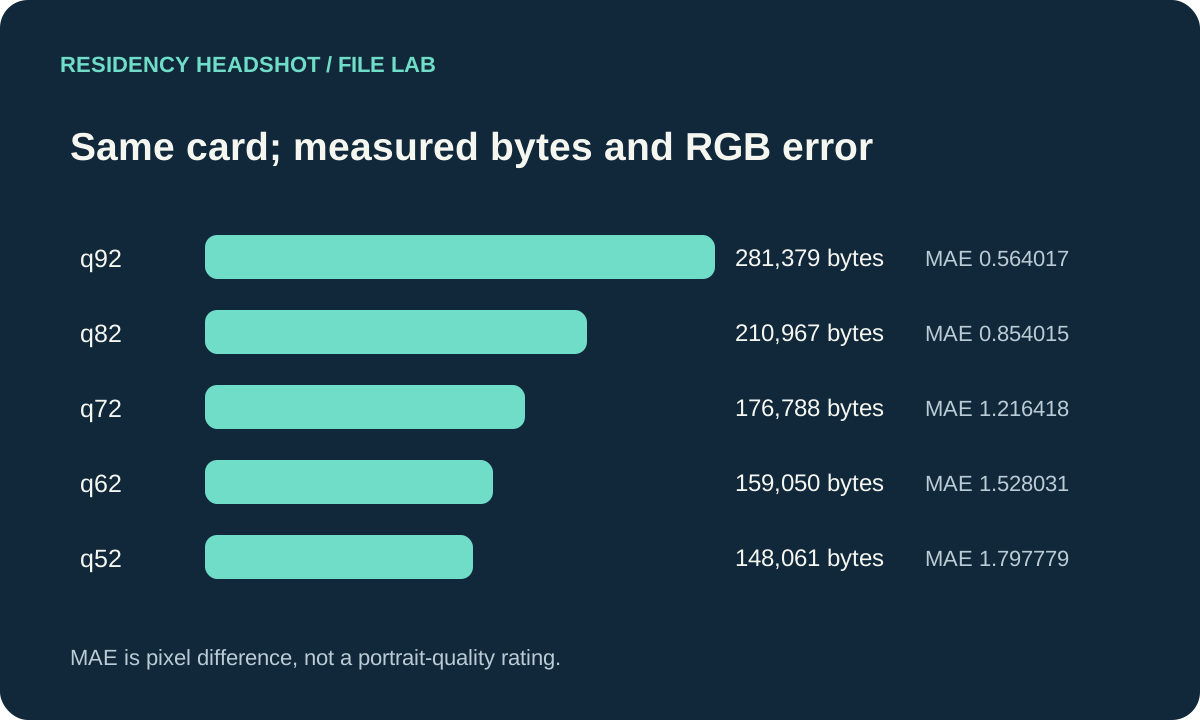
Across these five outputs, quality 52 was the only one below 150,000 bytes; that comparison uses an explicitly stated decimal byte threshold for arithmetic, not a claim about the upload systems’ internal limit. Its decoded dimensions stayed the same, while its pixel values differed from the lossless source. In this test the byte count fell as the quality setting fell, but the result does not prove every encoder or photograph will follow the same size curve.
The MAE values also cannot tell us whether facial details remain acceptable. A synthetic card lacks skin texture, hair, lighting variation, and the visual context of an actual portrait. We did not create or score an applicant image, and did not upload any test file to an application portal.
A repeatable way to check your own export
A student asked how to get an ERAS photo under the 150 KB limit without losing quality. That is a practical file-preparation question, but a single quality number cannot answer it for every source image. Use a copy of the original and keep each trial identifiable so you can compare results without overwriting the source.
- Confirm the route. Read the live AAMC or ECFMG instructions that match your applicant path. Note the listed format, maximum size, and any dimensions.
- Export one copy. Keep the original untouched. If the file is JPEG, change one encoder setting for a trial; do not also resize or crop if you want to see what that single change did.
- Reopen the exported copy. Check that the decoder recognizes the intended format, record its exact byte count, and verify the pixel dimensions. A filename ending alone does not verify the encoded format.
- Inspect the actual image. Compare it with the original at normal display size and at a closer view. Look at edges and fine detail in the resulting photograph. A byte count or numerical pixel-difference score cannot make that visual check for you.
- Keep the best verified copy. If it still exceeds the listed limit, make another clearly labeled trial or reduce dimensions only when appropriate to your route. Reopen and inspect that new output too. Do not treat this synthetic test’s quality setting as a recommended preset.
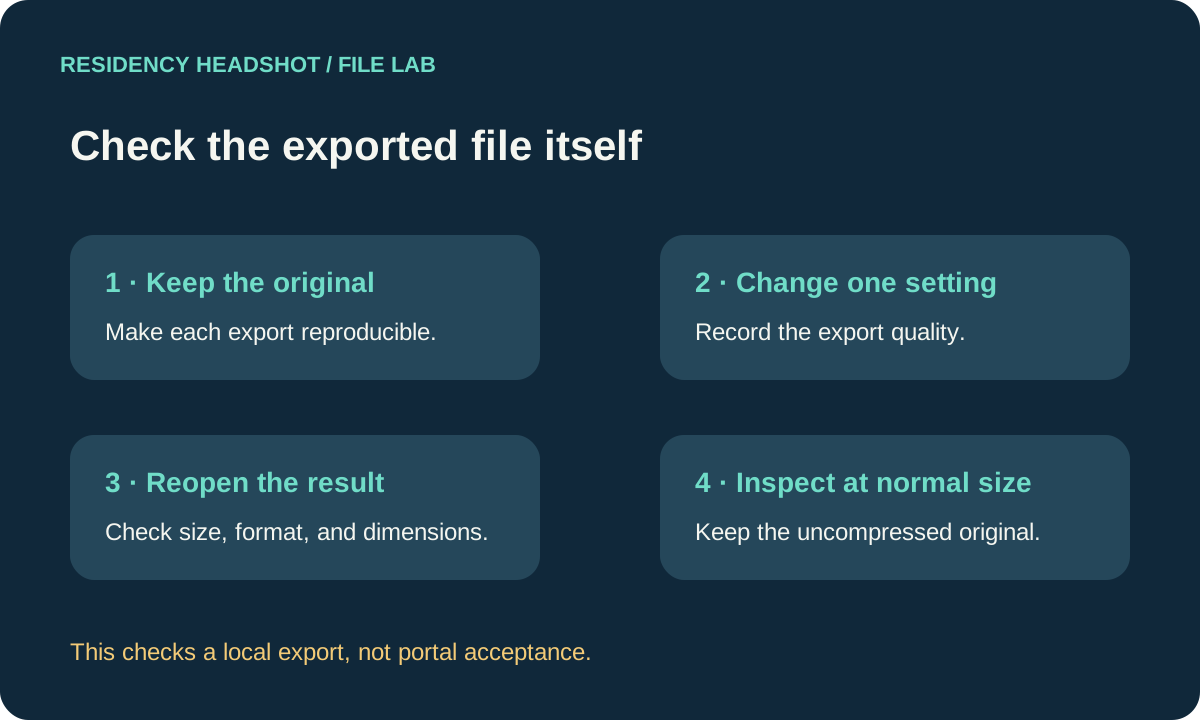
This workflow is an independent file-check method, not application advice or a promise of upload success. The official instructions determine the published route requirements. Only the portal can confirm whether it accepted a particular submission.
What this test does not establish
- It does not predict the byte size or visible detail of a camera portrait.
- It does not define the portal’s exact byte interpretation of 150 KB.
- It does not test upload acceptance, processing, or the appearance of a portal preview.
- It does not identify one quality setting as universally best.
Common compression questions
Does lowering JPEG quality always make the file small enough?
No. It reduced the size in this five-export test, but another image, encoder, or export option may produce a different output. Check the actual saved copy.
Can I change DPI metadata to reduce JPEG bytes?
DPI is a separate file property from JPEG encoding. Our DPI experiment measures metadata changes while preserving encoded image data; this page varies the JPEG quality setting instead.
Does the 148,061-byte test file meet an ERAS requirement?
It is a synthetic test graphic, not a portrait or portal upload. Its byte count alone does not establish suitability or acceptance.
Sources and reproducible files
- AAMC, Photo (current direct MyERAS format and size list).
- ECFMG, ERAS Supporting Documents — Photograph (MyIntealth format, size, and dimensions).
- A public applicant question asking how to meet a 150 KB limit without sacrificing quality; treated only as a question prompt, not technical evidence.
- Download the synthetic source card, five JPEG exports, measurements, and reproduction script · Read exact measurements.
Test run September 28, 2026 with Pillow 12.3.0. This independent site is not affiliated with AAMC or ECFMG.