ERAS PHOTO REQUIREMENTS · COLOR QUESTION
Does an ERAS Headshot Have to Be in Color?
The current public ERAS photo instructions reviewed here do not state that the application photo must be in color. A separate Intealth rule does require a full-color photo to establish a MyIntealth account; that identity-verification photo is described in a different section from the photograph submitted for ERAS. Check the instructions for the exact photo and route you are handling, and do not transfer a rule between those purposes.
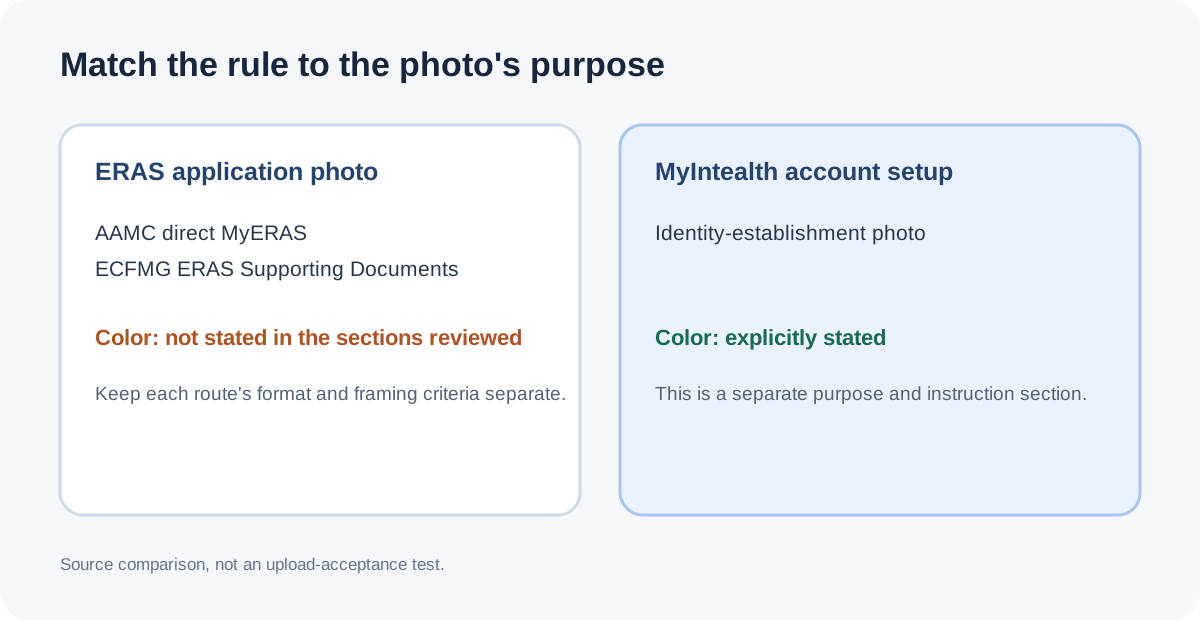
What the official photo sections say
AAMC’s public photo page for direct MyERAS uploads lists JPG/JPEG or PNG, a maximum file size of 150 KB, and a centered face. It also describes how programs most often use the photo and tells applicants to check program-specific requirements. The photo list reviewed does not state “color” or “black and white.”
ECFMG’s ERAS Supporting Documents page gives a separate MyIntealth submission route for IMG applicants. Its ERAS photograph section says the image must be clear, show a full front view of the head and shoulders, center the face, and show a natural expression with eyes open and looking ahead. Its technical list specifies JPEG, a maximum of 150 KB, and dimensions no larger than 2.5 by 3.5 inches. Color is not stated in that ERAS photograph section.
Intealth’s MyIntealth account-establishment page separately asks for a full-color face photograph for creating an account and identity documentation. That is an account-establishment step, with its own stated purpose and photo criteria. The fact that both workflows use MyIntealth does not make the account photo and the ERAS Supporting Documents photograph the same upload.
| Photo purpose | Public source wording reviewed | Color stated? |
|---|---|---|
| AAMC direct MyERAS application photo | JPG/JPEG or PNG; up to 150 KB; centered face; check program requirements. | Not stated in the reviewed public photo list. |
| ECFMG MyIntealth ERAS Supporting Documents photo | JPEG; up to 150 KB; no larger than 2.5 × 3.5 inches; clear, full-front head and shoulders; centered face; natural expression. | Not stated in the reviewed ERAS photograph section. |
| Intealth MyIntealth account-establishment identity photo | Full-face photo for establishing an account, with separate instructions and a separate purpose. | Yes. The account-establishment page explicitly says the photo must be in color. |
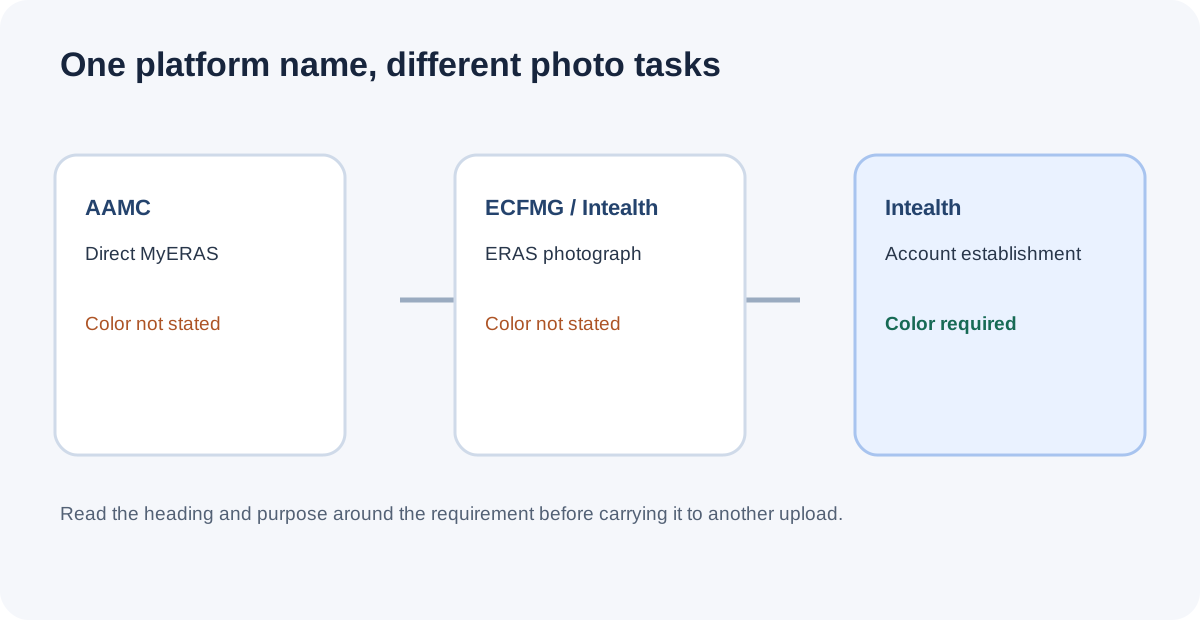
A three-field check prevents rule transfer
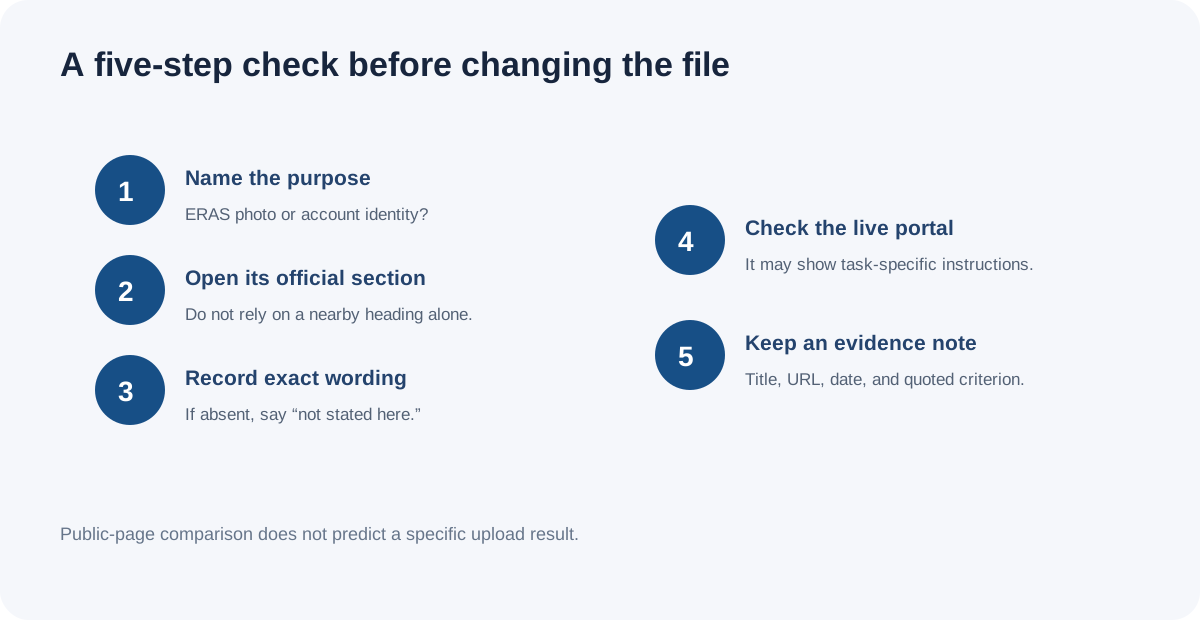
When a page says “color required,” record three fields before applying it: the purpose of the photo, the workflow section that requests it, and the exact instruction. This quick source audit keeps an account identity-photo rule from silently becoming an application-photo rule.
- Name the photo’s purpose. Is the task creating a MyIntealth account, uploading an ERAS Supporting Documents photograph, or adding a photo through direct MyERAS? Write the purpose before comparing file details.
- Open the matching official section. For direct MyERAS, use AAMC’s Photo page. For an IMG applicant’s ERAS transfer through ECFMG, use the Photograph section under ERAS Supporting Documents. For account establishment, use Intealth’s account-establishment page.
- Quote only the criterion that appears there. Keep file format, byte cap, dimensions, composition, and color as separate fields. If the section does not mention color, record “not stated in this section” rather than importing the rule from another page.
- Check for a current screen-specific instruction. If the logged-in portal presents an additional instruction for the exact upload, follow that instruction for that workflow. A public page comparison cannot establish what a particular account screen will display.
- Keep the evidence trail. Save the page title, URL, date checked, and the sentence or list item that supports the requirement. This makes a later correction traceable if the official instructions change.
For example, “MyIntealth requires a color photograph” is too broad unless the reader identifies which MyIntealth task the sentence describes. The reviewed account-establishment page does state color for its identity photo; the reviewed ERAS Supporting Documents photograph list does not. That comparison does not establish that every grayscale image is accepted, that programs have no separate instruction, or that a portal will behave a particular way.
This distinction is also separate from color-profile handling. A profile conversion can alter how color values render without changing whether a source checklist calls for color. The site’s color-profile test covers that technical issue; it does not interpret application policy.
Common questions
Does the ECFMG ERAS photo section explicitly say “color”?
The current public ERAS photograph section reviewed lists framing and file specifications but does not state a color requirement. This is a statement about the section reviewed, not proof that no other current instruction can apply.
Does MyIntealth require a color photo?
Intealth’s account-establishment page explicitly says its face photograph must be in color. That is a separate account identity-verification photo task; it should not be silently applied to a different upload purpose.
Does “color not stated” mean black and white is guaranteed to be accepted?
No. The public wording reviewed does not settle every portal, account, or program-specific condition. Check the current instructions attached to the exact upload.
Is color profile the same as a color requirement?
No. Color profile concerns how encoded color values are interpreted by software. Whether an application photo must be color is a separate policy question.
Why applicants ask about color
A public applicant discussion asks whether an ERAS photo should be converted to grayscale because an application might be printed in black and white. That thread is a question signal only; it does not establish how programs print applications or what a specific program requires. The answer above is based on the official photo sections listed below.
Watch the ERAS headshot color-requirement explainer
This companion video summarizes the official-section comparison above with English narration and burned-in English captions.
Watch the ERAS headshot color-requirement explainer on YouTube
Sources and scope
- AAMC, Photo — direct MyERAS photo types, file cap, centering, and program-specific instruction. The AAMC page’s public search extract was available; a direct page fetch may present a client challenge.
- ECFMG/Intealth, ERAS: Supporting Documents — Photograph — ERAS photo criteria and MyIntealth submission route.
- Intealth, MyIntealth Account Establishment — separate full-color account-establishment photograph requirement.
- r/medicalschool, “How detrimental is it that my ERAS photo has a black background?” — question signal only; comments are not treated as policy.
Official wording checked October 26, 2026. This page compares public instructions and does not access an applicant account, test an upload portal, or predict acceptance. Residency Headshot is independent and is not affiliated with AAMC, ECFMG, Intealth, or ERAS Support Services.