IPHONE PHOTO FORMAT / OFFICIAL ROUTE CHECK
Can you upload an iPhone HEIC photo to ERAS?
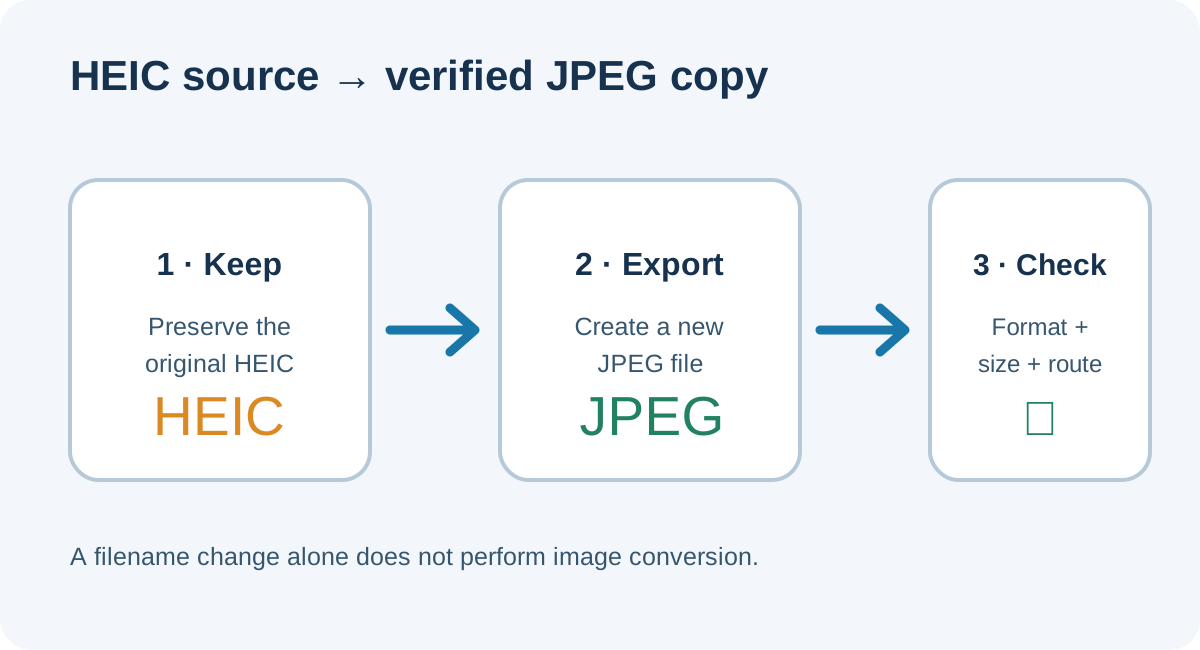
Do not assume an HEIC file meets the listed photo formats: AAMC specifies JPG/JPEG or PNG for direct MyERAS uploads, while ECFMG specifies JPEG for its MyIntealth IMG route. Export an actual JPEG, then verify the new file opens, its format signature is JPEG, and its size meets the instructions for your route. Changing “.heic” to “.jpg” in the filename does not convert the image bytes.
Why the upload route changes the file check
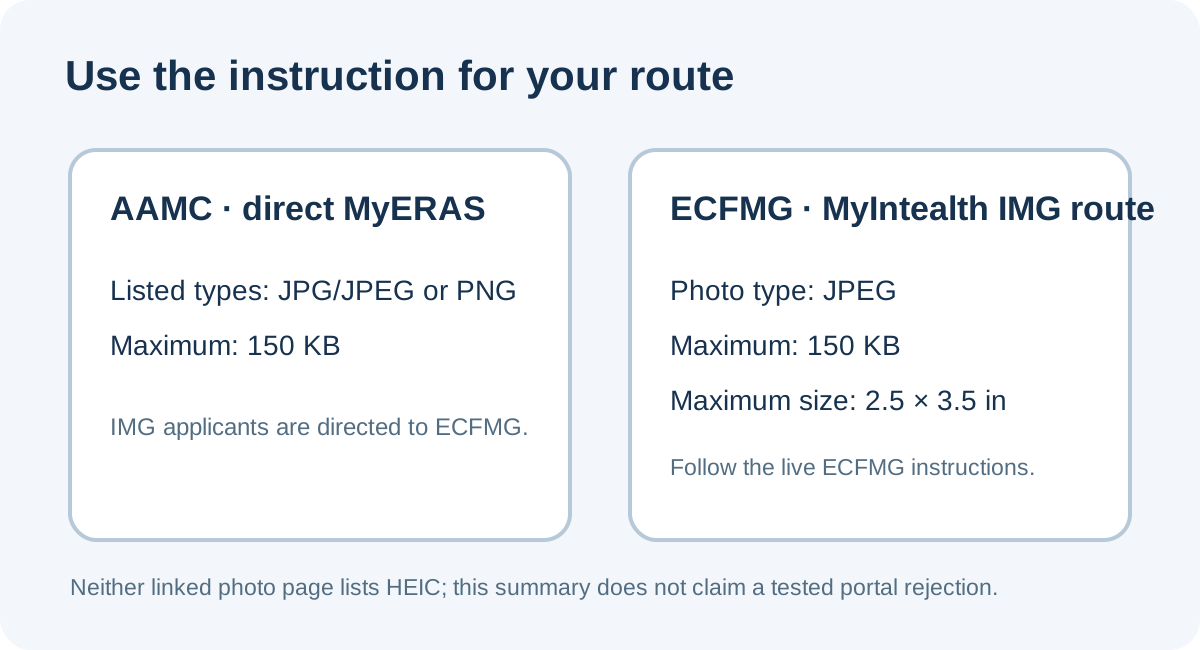
The current AAMC Photo page lists JPG/JPEG or PNG with a 150 KB maximum for the direct MyERAS photo upload. It says IMG applicants should visit ECFMG for information about submitting the photo. ECFMG’s ERAS Supporting Documents page describes the separate IMG route: submit a JPEG via MyIntealth, no larger than 150 KB and no larger than 2.5 by 3.5 inches. These are two different instructions, so use the one for the route you actually follow.
Neither page lists HEIC as an accepted file type. That supports a cautious workflow: export to a listed format rather than assume a portal will decode HEIC. It does not establish that a particular portal will reject every HEIC file; we did not submit any file to MyERAS or MyIntealth, and their upload behavior was not tested.
Apple says choosing Camera > Formats > Most Compatible makes new iPhone photos use JPEG. That setting concerns new captures. For an existing HEIC image, create and check an exported copy; changing the camera setting later does not retroactively change an existing file.
A small test shows why the extension is not proof
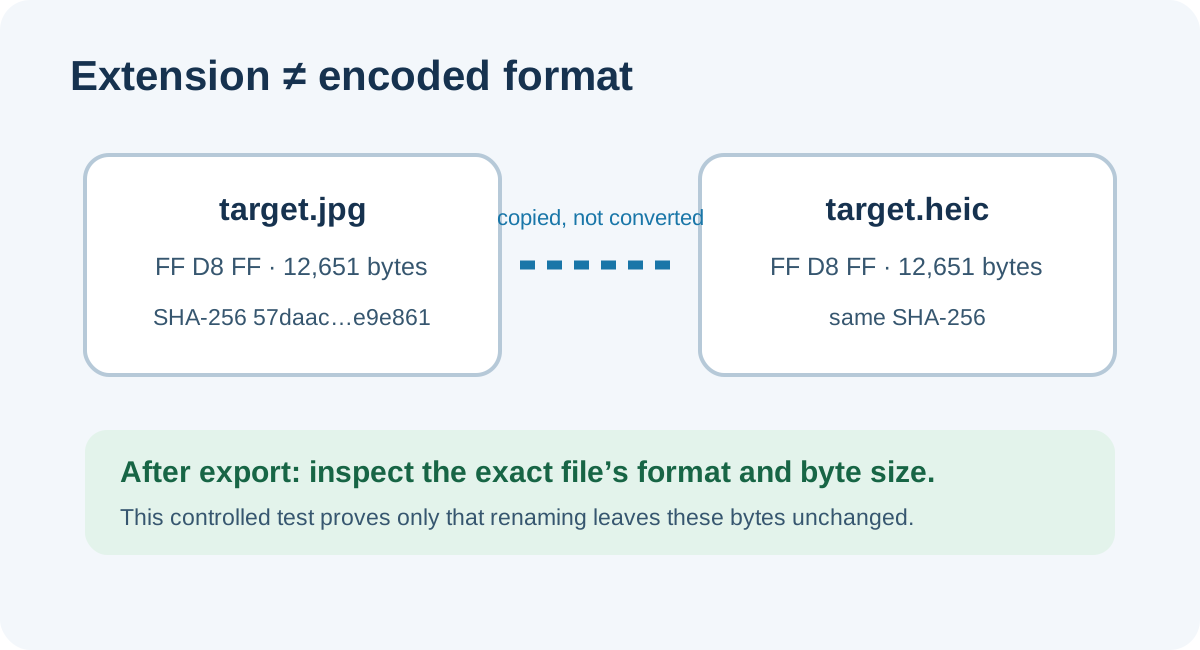
We used a locally generated synthetic JPEG color target—not a portrait or applicant file—and copied its bytes to a second filename ending in “.heic.” The baseline and renamed copies had identical byte counts and SHA-256 hashes; both began with the JPEG signature bytes FF D8 FF. This is a deliberately narrow filename-only test: it demonstrates that renaming a file leaves its content unchanged. It is not a test of a real HEIC-to-JPEG export, iPhone Photos, a web browser, or either application portal.
| Local file | Extension | Content signature | Byte count | SHA-256 matches baseline? |
|---|---|---|---|---|
| synthetic-target.jpg | .jpg | JPEG (FF D8 FF) | 12,651 | Baseline |
| synthetic-target.heic | .heic | JPEG (FF D8 FF) | Yes | Yes |
The second filename still contains JPEG data; no HEIC encoder or format conversion ran. This is why the extension alone cannot verify a converted file. The complete reproducible test record includes the measured bytes and hashes for these two local copies.
Export an existing iPhone photo and check the result
- Keep the original. Make a separate export so you can compare files and retry without overwriting the source.
- Create a JPEG copy. On iPhone, Apple documents JPEG for new captures when Camera > Formats is set to Most Compatible. For an existing HEIC, use an export or conversion path that explicitly produces JPEG; Apple documents exporting photos in a different format on Mac, and third-party apps may have their own behavior.
- Inspect the exported copy. Open that exact file and check its detected image format, pixel dimensions, and byte size. A “.jpg” suffix is not enough to prove the encoding.
- Apply the correct route limits. The direct AAMC MyERAS photo page lists JPG/JPEG or PNG and 150 KB maximum. The ECFMG IMG page lists JPEG, 150 KB maximum, and up to 2.5 × 3.5 inches.
- Use the actual upload message. If the file meets the published instructions but the portal shows an error, preserve the exact message and follow the portal’s help route. This website has not tested either account’s upload flow.
This sequence checks observable file properties before upload while keeping an untested portal decision separate from our local file test.
Common questions
Does changing HEIC to JPG in the filename make a JPEG?
No. A filename edit changes the label, not the encoded file. The controlled test on this page shows a JPEG keeps its JPEG signature after its extension is renamed. A genuine export or conversion is needed to create a different format.
Does AAMC list HEIC for MyERAS?
The current AAMC Photo page lists JPG/JPEG or PNG, up to 150 KB. It does not list HEIC. That is a summary of the published list, not a claim about every possible portal response.
What does ECFMG require for an IMG photo?
Its ERAS Supporting Documents page says JPEG, no more than 150 KB, and no larger than 2.5 by 3.5 inches, submitted through MyIntealth. Check the current page before uploading.
Will changing iPhone camera settings convert photos already taken?
Apple describes Most Compatible as a setting for photos captured with the camera. For a photo already saved as HEIC, export a new JPEG copy and inspect that copy.
Sources and reproducible test
- AAMC, Photo — direct MyERAS photo format and file-size instructions.
- ECFMG, ERAS Supporting Documents — IMG/MyIntealth photo specifications and submission route.
- Apple Support, Using HEIF or HEVC media on Apple devices — Most Compatible setting and format compatibility information.
- Synthetic filename-only test record — exact bytes, hashes, and method.
- Public applicant question about using an iPhone photo for ERAS — a question signal only, not a format requirement.
Route and product facts were checked against the linked official pages on October 5, 2026. The local test used generated files only. This site is not affiliated with the AAMC or Intealth/ECFMG.
Watch the companion video
Video production is in progress.