CROP PREVIEW / REPRODUCIBLE TOOL TEST
Does an ERAS headshot crop preview match the saved file?
In our crop tool, the preview and downloaded JPEG kept nearly the same framing in three synthetic tests: the largest marker-center shift was 1.415 pixels after both were normalized to 299 × 419 pixels. The exported file is a 375 × 525 JPEG, so resizing and JPEG compression mean it is not pixel-for-pixel identical to the browser preview. This test is about our tool; it does not establish how MyERAS or MyIntealth previews a photo, or what a program sees.
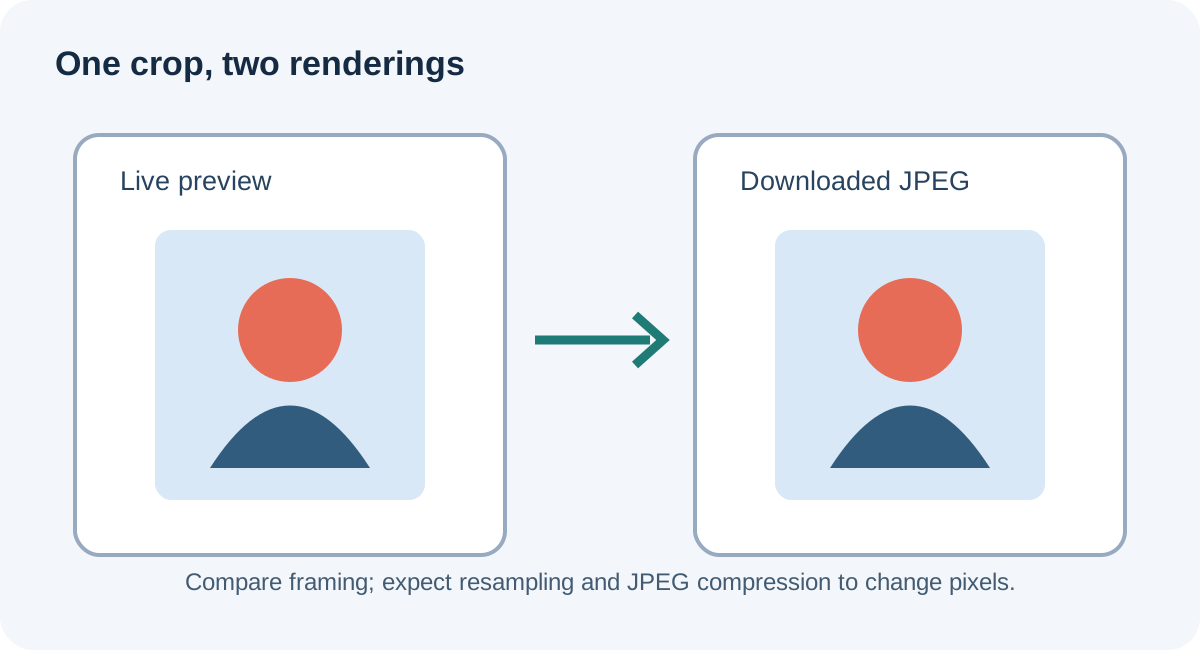
What “matches” means here
A crop preview is a screen rendering of the selected framing. A saved image is a separate file with its own pixel dimensions and encoding. A useful comparison therefore asks whether recognizable features stay in the same relative positions, not whether every screen pixel equals every file pixel.
That distinction matters when you move or enlarge a crop. The preview helps you judge composition before export; the downloaded file is a separate artifact to reopen and inspect. If the preview and file seem different, compare the downloaded copy at a similar display size and account for JPEG being lossy.
The tool’s intended frame is portrait-shaped. In this test the browser displayed a 300 × 420 CSS-pixel frame, while the exported JPEG measured 375 × 525 pixels. To compare landmark positions fairly, we removed the preview border and resized the JPEG to 299 × 419 pixels before measuring marker centers.
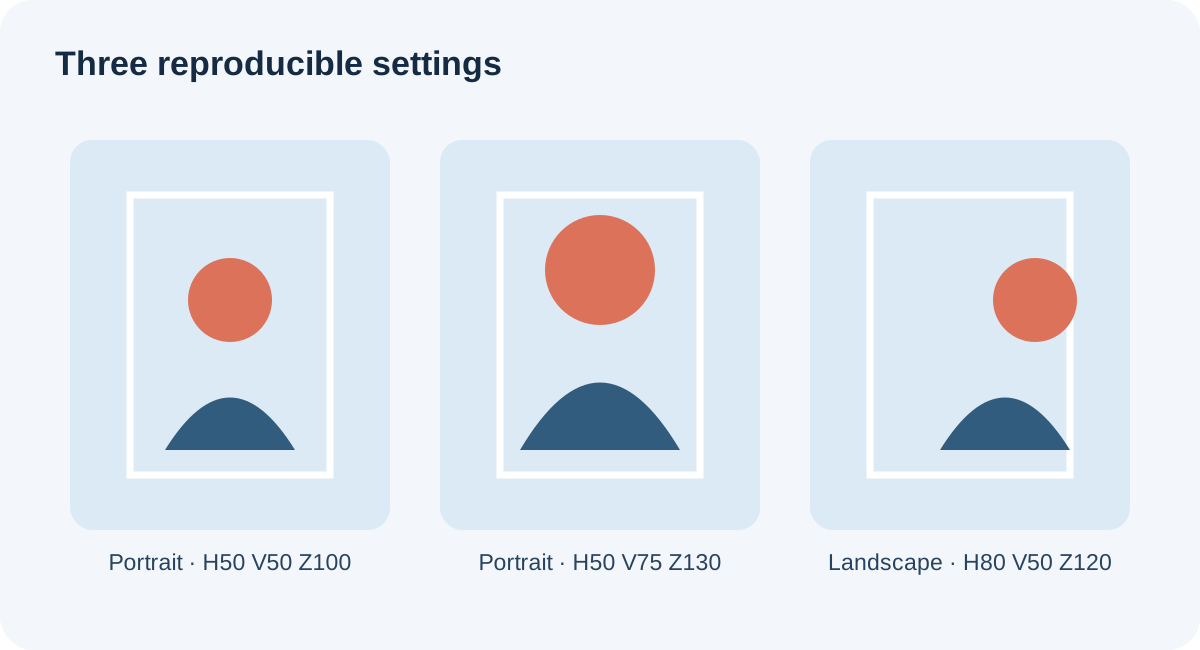
Three preview-to-download tests
We used two synthetic coordinate-grid images: a 1200 × 1800 portrait and an 1800 × 1200 landscape. No person or application portal was involved. For each case, the browser loaded the image in the live Residency Headshot crop tool, applied the listed horizontal position, vertical position, and zoom, captured the visible frame, and used the tool’s own Prepare download action to save the JPEG.
| Case | Settings (H / V / zoom) | Export | Largest marker-center shift |
|---|---|---|---|
| Centered portrait | 50 / 50 / 100% | 375 × 525 JPEG | 1.227 px |
| Portrait moved upward and enlarged | 50 / 75 / 130% | 375 × 525 JPEG | 0.568 px |
| Landscape shifted horizontally and enlarged | 80 / 50 / 120% | 375 × 525 JPEG | 1.415 px |
We located the red and green marker centers in each preview and in its downloaded JPEG, then calculated the Euclidean distance between the two centers after normalization. Across the six marker comparisons, the largest displacement was 1.415 normalized pixels. The measurements and original files are in the downloadable bundle.
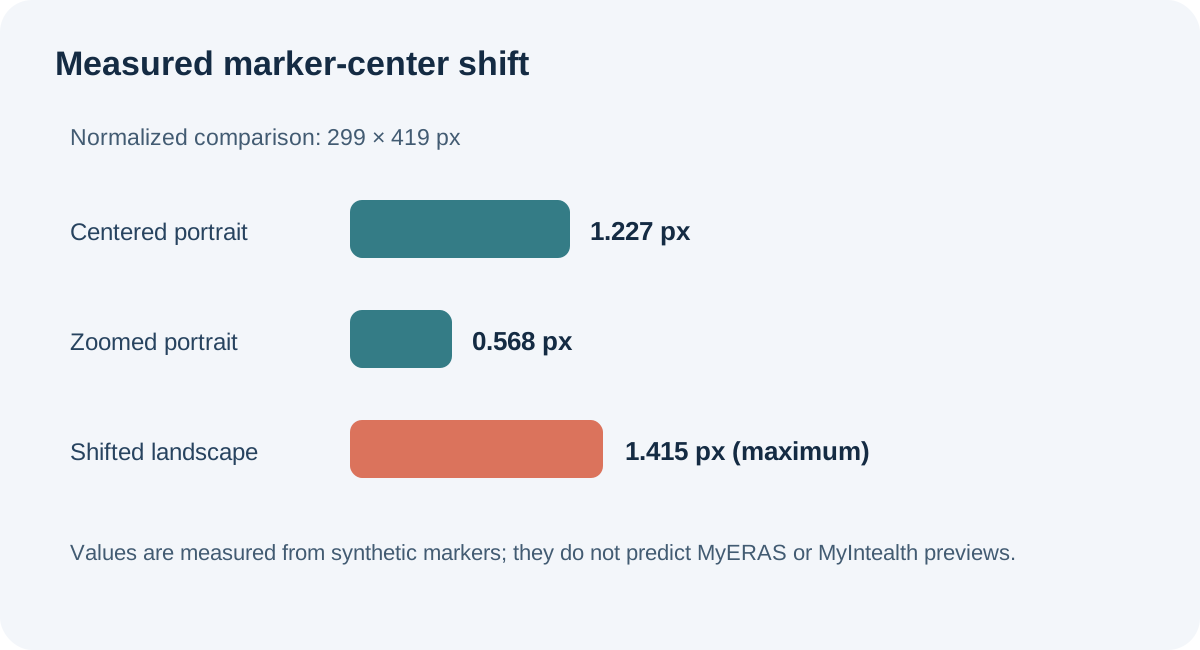
This is a small, controlled test of the current browser tool, not a broad compatibility study. It checks crop geometry with deliberately visible landmarks. It does not measure color fidelity, skin-tone rendering, edge sharpness, all mobile browsers, every possible slider position, or the result after another service processes the image.
A practical preview check before using an export
- Set the framing in the tool. Move and scale the image until the visible composition is the one you intend.
- Use Prepare download. Do not judge the exported result from the preview alone.
- Open the downloaded copy. Check that it is the expected file and that the crop still looks right at a normal viewing size.
- Compare recognizable landmarks. Look at the placement of the face and shoulders relative to the crop edges; ignore small display differences caused by scaling or compression.
- Keep the exact copy you reviewed. If you adjust the crop, make a new export and inspect that new file rather than relying on the earlier version.
This workflow checks the file produced by this site’s tool. It cannot verify a separate application portal’s preview. For any upload, follow the current instructions for your own application route and inspect the final file you intend to use.
What this test cannot answer about ERAS
A public applicant question asks whether a circular preview that trims part of the head means a residency program will receive a similarly cropped image. That question identifies an uncertainty, but a discussion thread is not proof of platform behavior. We did not submit any test image to MyERAS, MyIntealth, or a residency program.
The AAMC photo instructions describe the direct MyERAS route for U.S. medical school graduates and point international medical graduates to ECFMG instructions. ECFMG’s route uses MyIntealth. Neither page, as reviewed for this article, establishes that this site’s crop preview predicts another platform’s preview or a program’s view. Keep the site-tool test and the application system’s display as separate questions.
Common questions
Is the downloaded JPEG identical to the preview?
No. In our test they had close marker framing after normalization, but their dimensions differ and JPEG compression changes pixel values. “Similar framing” is the supported result; “identical pixels” is not.
Does this prove what programs see in MyERAS?
No. We tested this website’s crop tool only. We did not test MyERAS, MyIntealth, or program-side display.
Should I inspect the file after download?
Yes. The actual downloaded file is the output you can review. Open that copy after export and confirm that its framing is still the one you intended.
What did the test use?
Two synthetic marker-grid sources, three crop settings, the live browser preview, and the tool’s actual download action. The measurement script and results are available below.
Sources and reproducible files
- AAMC, Photo — route-specific photo submission guidance.
- ECFMG, ERAS Supporting Documents — IMG route and photograph information.
- Public applicant question about a cropped circular preview — used only to identify the question, not as evidence of portal behavior.
- Download the synthetic source images, preview captures, JPEG exports, measurements, and reproduction notes · View exact measurements.
Independent test run October 1, 2026. No applicant photos were used. This website is not affiliated with the AAMC or ECFMG.
Watch the companion video
Does an ERAS Headshot Crop Preview Match the Saved File? | Three Tests