ERAS HEADSHOT · FILE SIZE
Does 150 KB mean 150,000 bytes for an ERAS headshot?
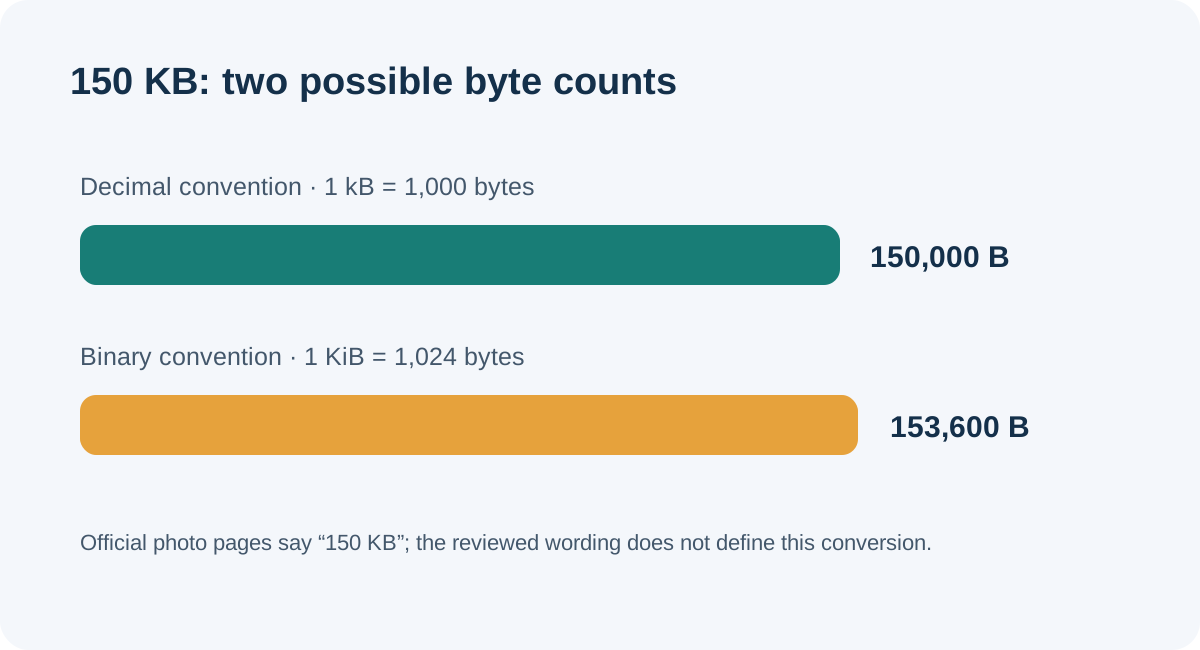
The official photo pages reviewed say “150 KB,” but do not define the byte conversion beside that limit. In decimal units, 150 kB is 150,000 bytes; in binary units, 150 KiB is 153,600 bytes. An exact file count at or below 150,000 bytes does not exceed either calculated ceiling, but it does not guarantee portal acceptance.
What the current photo requirements actually say
The AAMC Photo chapter lists a 150 KB maximum for the direct MyERAS photo route, alongside JPG/JPEG or PNG and a centered face. It directs international medical graduate residency applicants to ECFMG for the photo-submission instructions. The reviewed AAMC wording gives the size label but does not state how many bytes its “KB” represents.
The current ECFMG photograph instructions say to submit through MyIntealth and list JPEG format, a 150 KB maximum, and dimensions no larger than 2.5 by 3.5 inches. That page also describes a confirmation after a successful upload. Its listed size limit likewise does not specify a decimal or binary byte count.
Keep the routes distinct: a number conversion cannot make their file-format rules identical. Check the live instructions for the route that applies to you, and read the actual upload response as the evidence that a file was accepted. This article does not report a live MyERAS or MyIntealth test.
Exact calculation: two readings of the same label
NIST distinguishes the decimal prefix kilo, 103, from the binary prefix kibi, 210. Therefore:
- Decimal calculation: 150 × 1,000 = 150,000 bytes (150 kB).
- Binary calculation: 150 × 1,024 = 153,600 bytes (150 KiB).
The gap is 153,600 − 150,000 = 3,600 bytes. Relative to the decimal figure, 3,600 ÷ 150,000 × 100 = 2.4%. This is a unit-conversion comparison, not a measured difference between two ERAS upload limits.
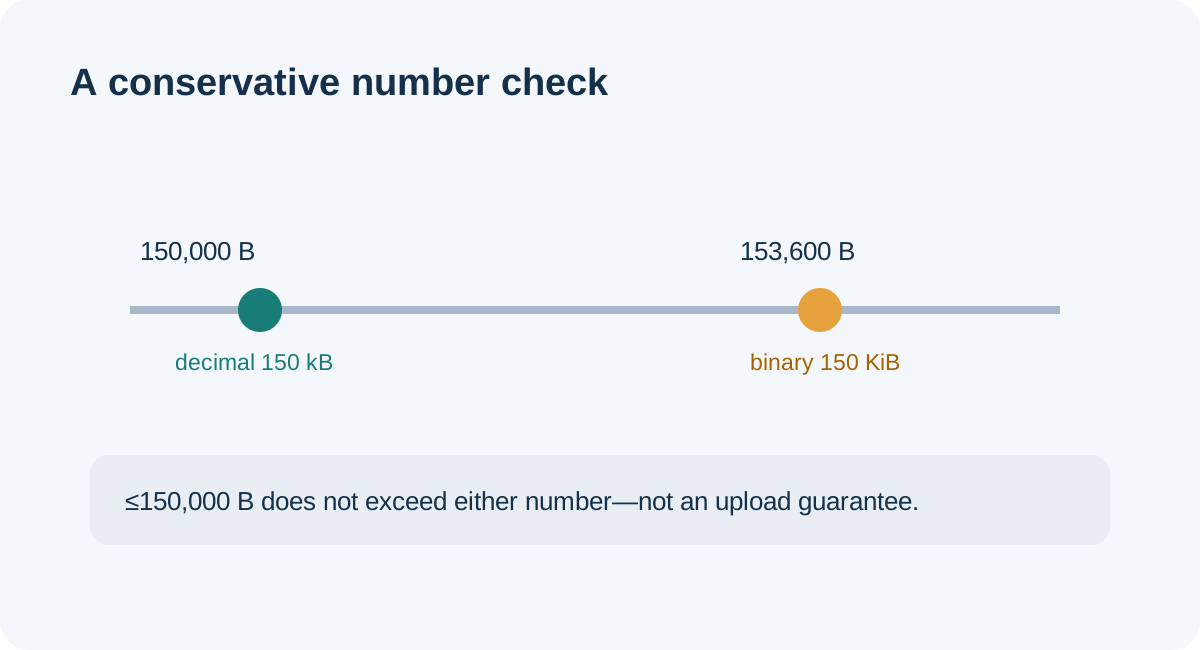
For a narrow arithmetic check, any exact file size no greater than 150,000 bytes is also no greater than 153,600 bytes. That uses the smaller of the two calculated ceilings. It cannot tell us whether a portal uses either convention, rounds a displayed value, checks other properties, or accepts a particular photograph. The public requirements do not answer those implementation questions.
A reproducible byte-boundary check
I created four empty local test files with requested lengths of 149,999, 150,000, 150,001, and 153,600 bytes. The script wrote zero-filled buffers, then read each file’s actual byte length from the filesystem. No portrait, image encoder, application account, or upload portal was involved.
| Requested file length | Measured local bytes | Below 150,000? | Below 153,600? |
|---|---|---|---|
| 149,999 | 149,999 | Yes | Yes |
| 150,000 | 150,000 | Yes, at the ceiling | Yes |
| 150,001 | 150,001 | No | Yes |
| 153,600 | 153,600 | No | Yes, at the ceiling |
The local check confirms that the 150,001-byte file exceeds the decimal calculation but not the binary calculation. It does not recreate the portal’s displayed “KB” value and cannot establish whether that value is rounded, whether metadata is counted differently, or whether the file passes its other checks. The reproducible script and its measured JSON are linked below.
Route-first workflow for checking your saved file
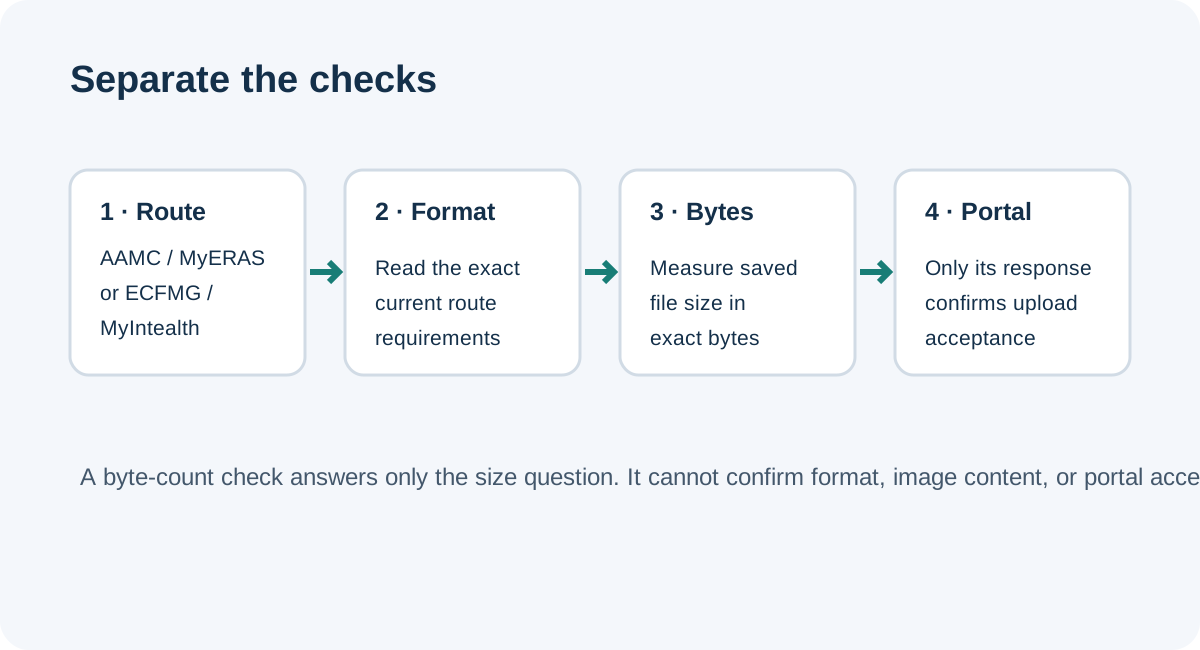
- Identify the upload route. Use the current AAMC MyERAS photo chapter for the direct route, or ECFMG’s current MyIntealth photograph instructions for the IMG route it describes. Fellowship applicants should follow the separate EFDO route.
- Copy the published specification exactly. Record the allowed type, displayed maximum, dimensions if listed, and the date you checked it. Do not convert one route’s list into another route’s rule.
- Measure the saved file in bytes. Read the actual exported copy’s byte count rather than relying on a rounded file-size label. Keep the source file unchanged.
- Interpret the number narrowly. If using 150,000 bytes as a conservative arithmetic ceiling, understand that it does not exceed either calculated ceiling above. It does not establish the portal’s unit convention or acceptance.
- Submit only through the named route and read its response. The ECFMG page says it provides confirmation when a digital photograph uploads successfully and says a rejected photo must be resubmitted. Treat the portal’s actual result—not a local calculation—as the acceptance evidence.
A recent public applicant post asked how to get an ERAS photo to 150 KB without sacrificing quality. That question is a useful signal of where the label causes uncertainty, but it is not evidence about portal internals. The arithmetic above resolves the conversions; it does not prescribe an image-quality setting.
Common questions
Should I treat 150 KB as exactly 150,000 bytes?
The reviewed AAMC and ECFMG photo requirements do not define that conversion. 150,000 is the decimal calculation; 153,600 is the binary calculation. The distinction should remain explicit.
Will a file below 150,000 bytes definitely upload?
No. The calculation only addresses file length under two unit conventions. It does not test file type, dimensions, photo content, account route, or portal behavior.
Does my computer’s rounded “KB” display prove the exact size?
No. For a boundary comparison, inspect the exact byte count of the saved export. The local test in this article used filesystem byte lengths, not a rounded display.
Sources and reproducible files
- AAMC, Photo — current direct MyERAS photo format and size listing.
- ECFMG, ERAS Supporting Documents — Photograph — current MyIntealth route, JPEG, displayed maximum, dimensions, and upload response.
- NIST CSRC, K — kilo as 103 in the cited measurement definition.
- NIST CSRC, KiB — 210 bytes = 1,024 bytes.
- Public applicant question — used only as a question signal about the 150 KB label, not as technical evidence.
- Reproduction script · Measured file lengths.
This independent resource is not affiliated with AAMC, ECFMG, or Intealth. No application portal was accessed for this test.